

Administrative Calendar
Club Calendar Overview
The administrative calendar (commonly known as the club calendar) displays all public events, training sessions, and matches. To access the club calendar, select Club → Summary from the left menu.
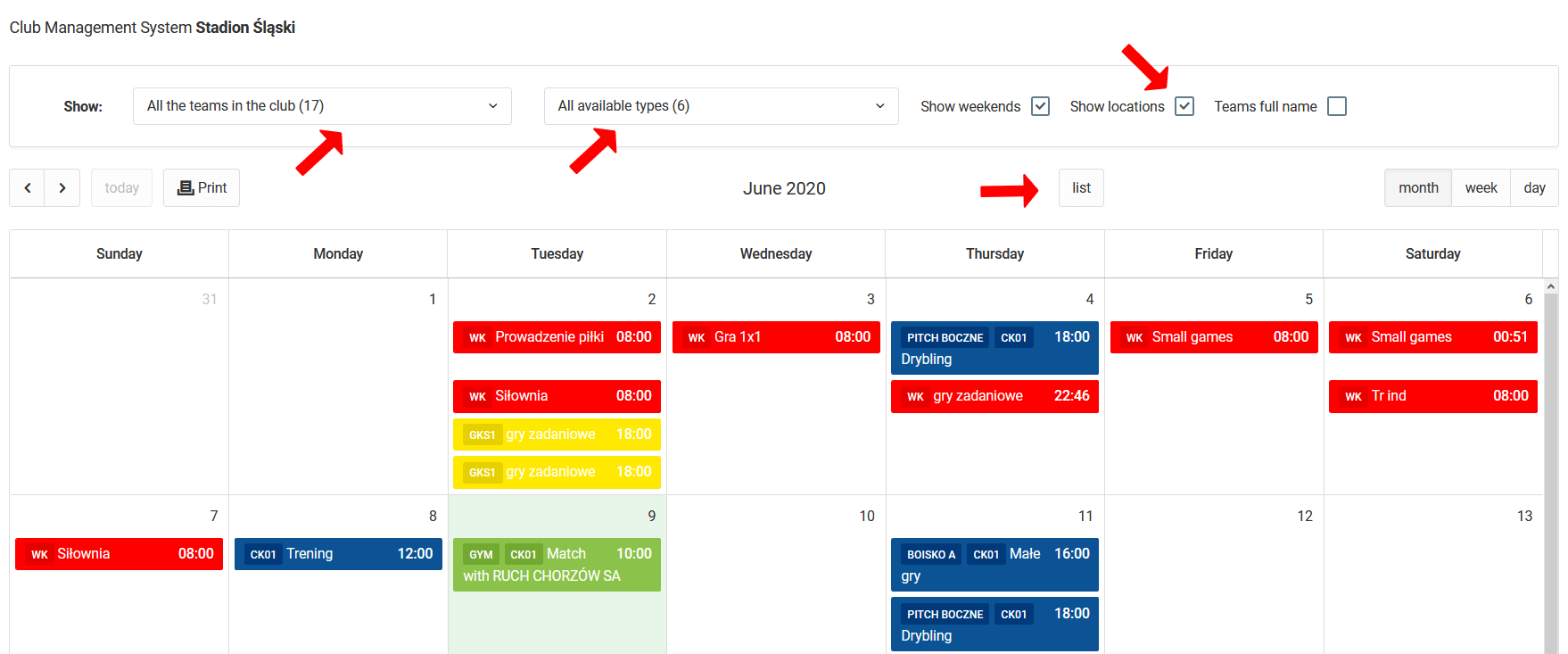
Filtering Events
Above the calendar you will find an area with options for filtering displayed events:
- Teams — narrow down to specific teams,
- Event type — filter by type,
- Weekends — option to hide weekends,
- Full team names — display full team names,
- Locations — show event venues.
Club Calendar Filtering
Adding Events
As an administrator you can add three types of events to the calendar. Click on any day in the calendar and select one of the options:
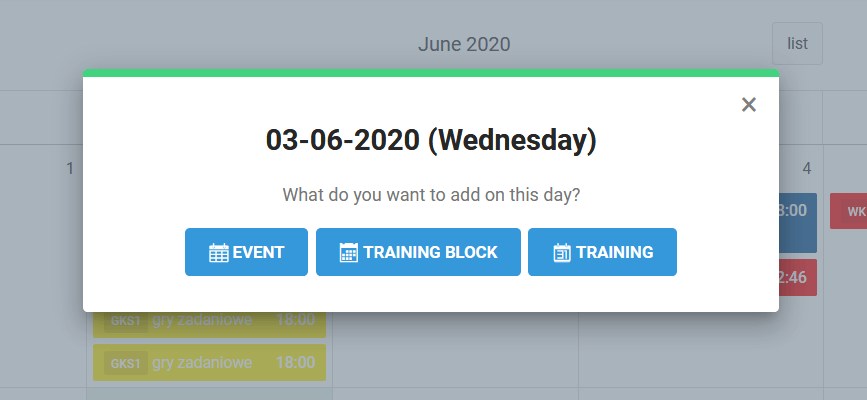
Event
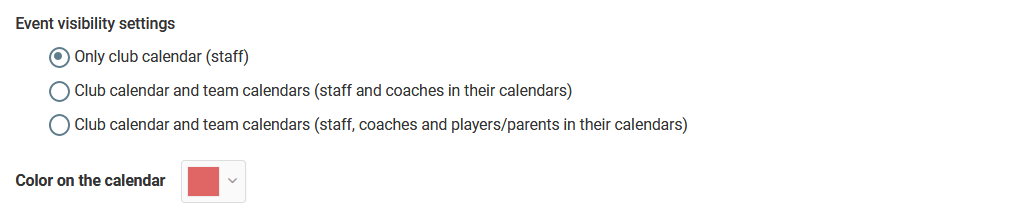
A standard event of any kind (e.g. a coaches' meeting). When creating an event you can specify:
- Visibility — for selected user groups,
- Color — for better readability on the calendar.
Training Session
As an administrator you can schedule a training session for a selected team. Details on planning training sessions are covered in the training management chapter.
Training Block
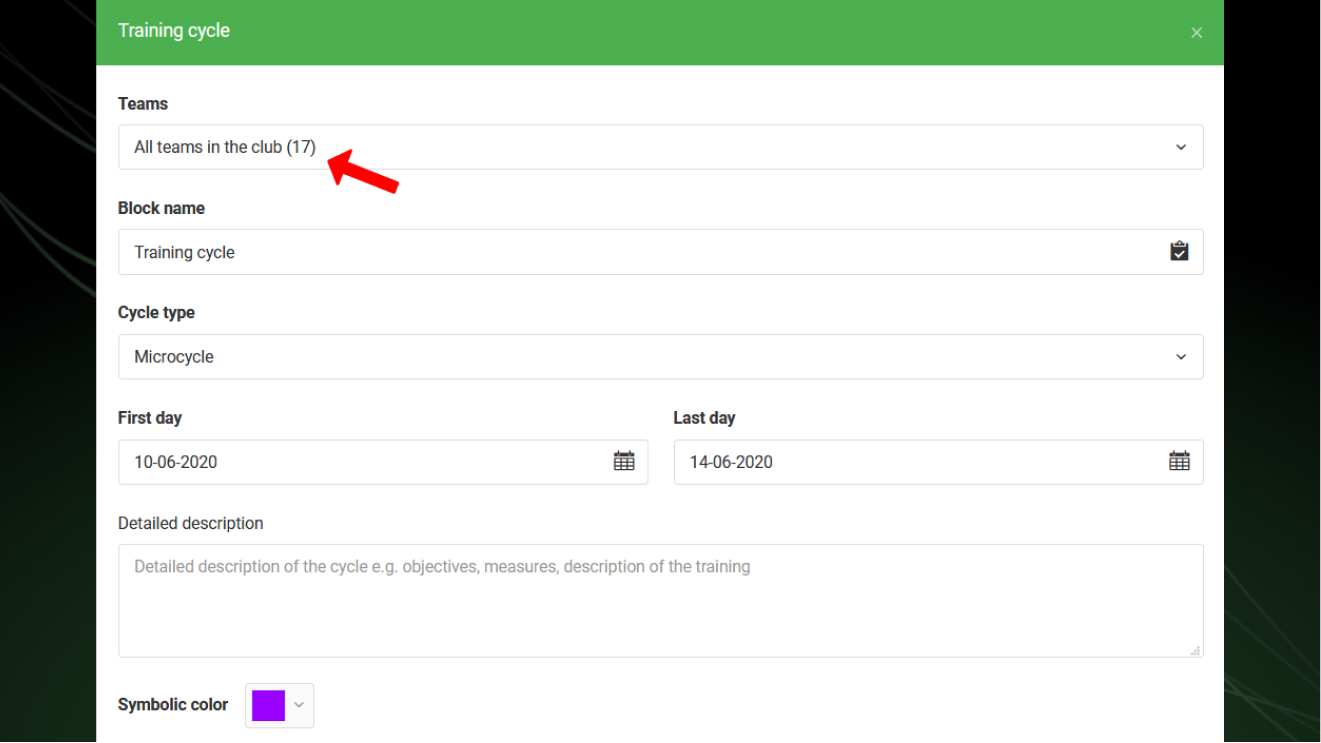
A training block allows you to assign training topics to specific teams within a defined date range. When creating a block you set:
- Teams — which teams the block applies to (e.g. a microcycle),
- Name and color,
- Description,
- Validity period.
Training Control
Clicking on a training session in the calendar will show a details window. You can quickly verify:
- whether the coach has prepared a draft for the training session,
- whether the coach has checked attendance.
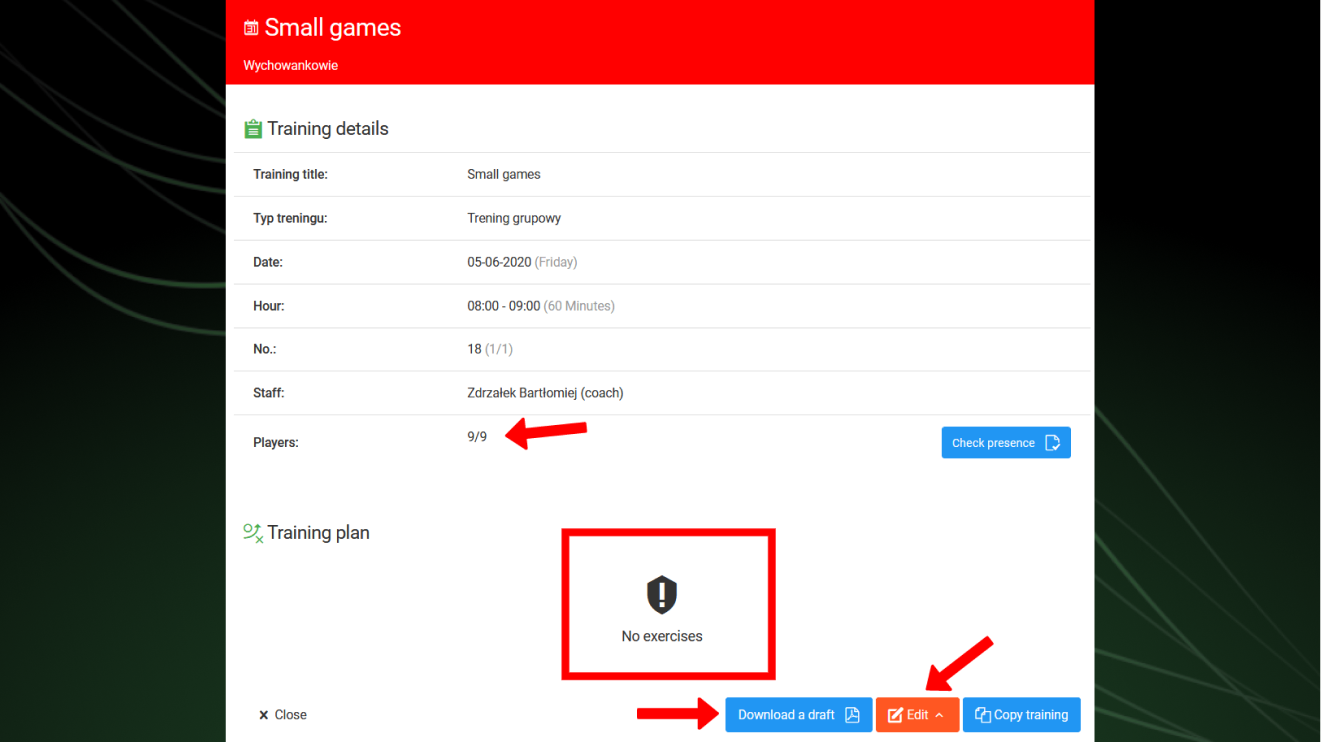
As an administrator you can also:
- Download the draft in PDF format,
- Edit training parameters — topic, description, venue, time, and date,
- Copy the training session to any other team within the club or another organization you work in.
Match Reports & Statistics
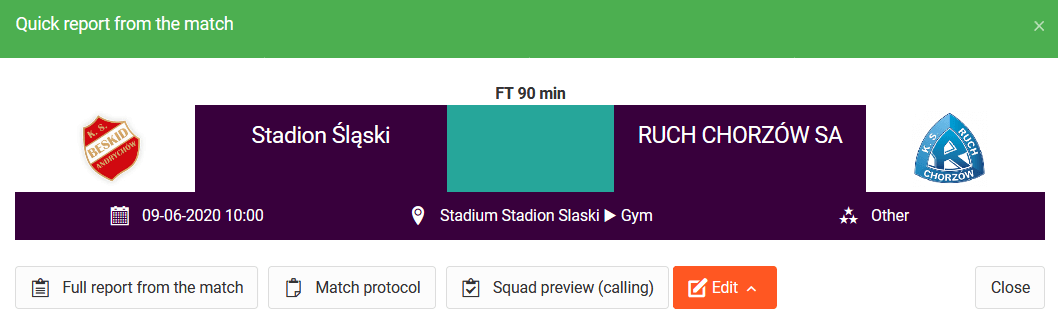
From the administrator level you have access to all match reports and results from games played by teams in your club. You can continuously track both match statistics and individual player statistics.