

Results & Statistics
Setting the Match Result
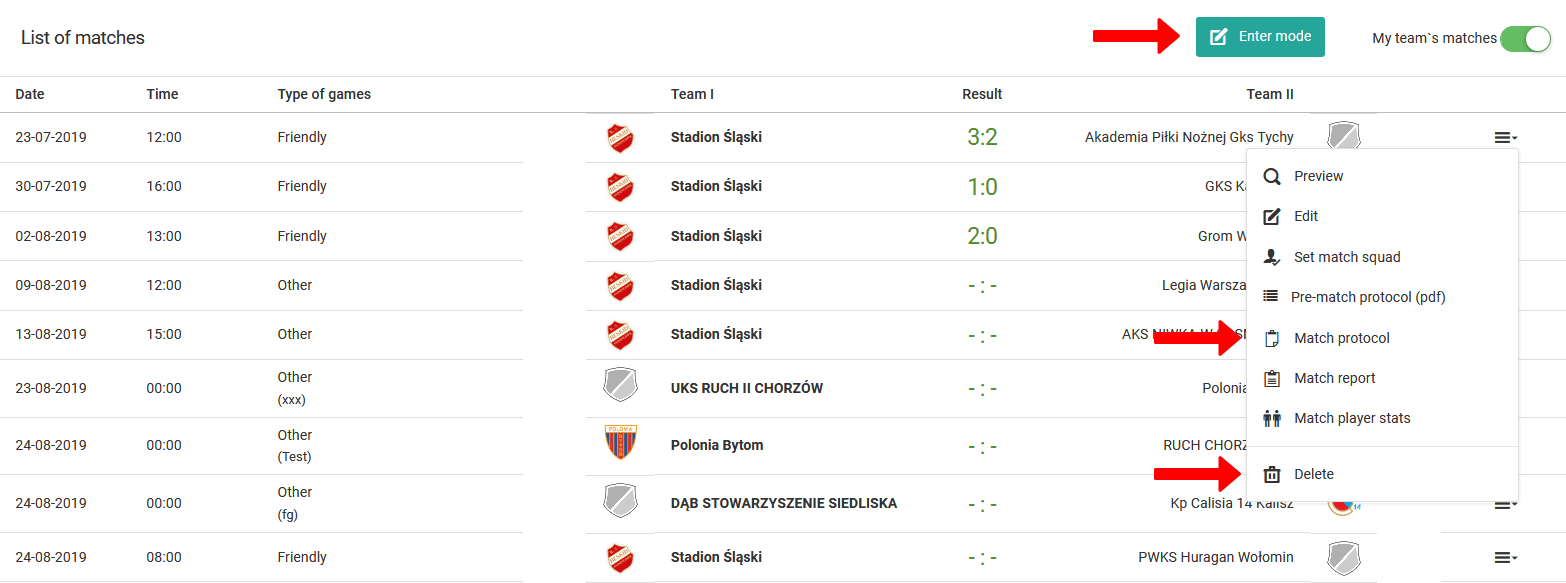
To enter a match result, go to the Diary → Competitions → Schedule tab in the left menu. There you will find a list of all your matches. From this place you can also:
- Edit match times, dates, and venues,
- Delete matches from your schedule.
The system offers two options for entering a match result:
- Basic mode — click the green "Fill in mode" button to enter the match result only,
- Advanced mode — select the "Match report" option from the menu of a given match (last column in the table).
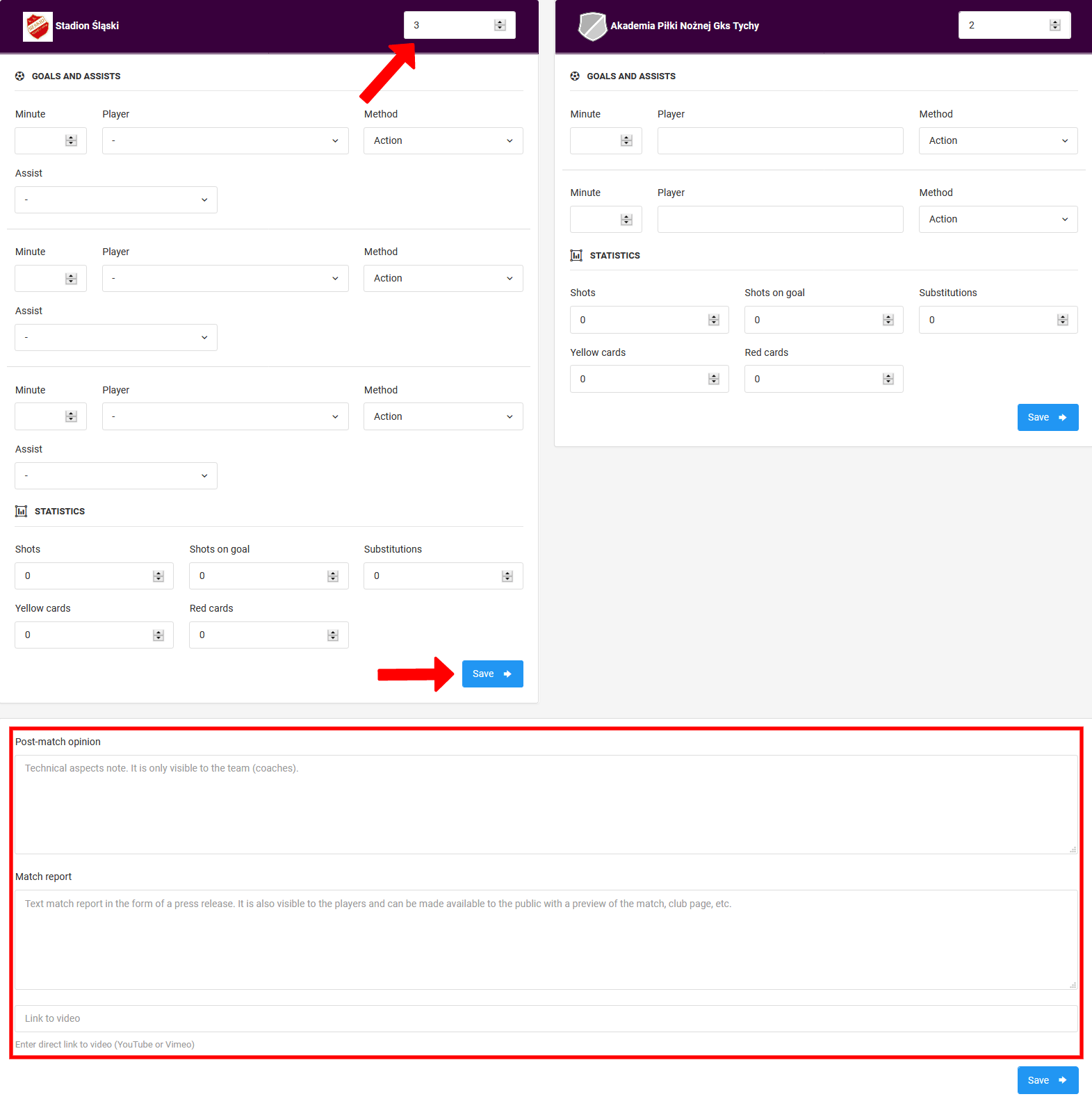
The advanced view allows you to enter detailed match statistics. Depending on the selected sport discipline, you can enter information about:
- Goals, points, and assists,
- Shots and substitutions,
- Penalties and methods of scoring.
Below the form you will find three text fields:
- Assumptions and goals,
- Match report and conclusions,
- Link to video material.
Individual Match Statistics
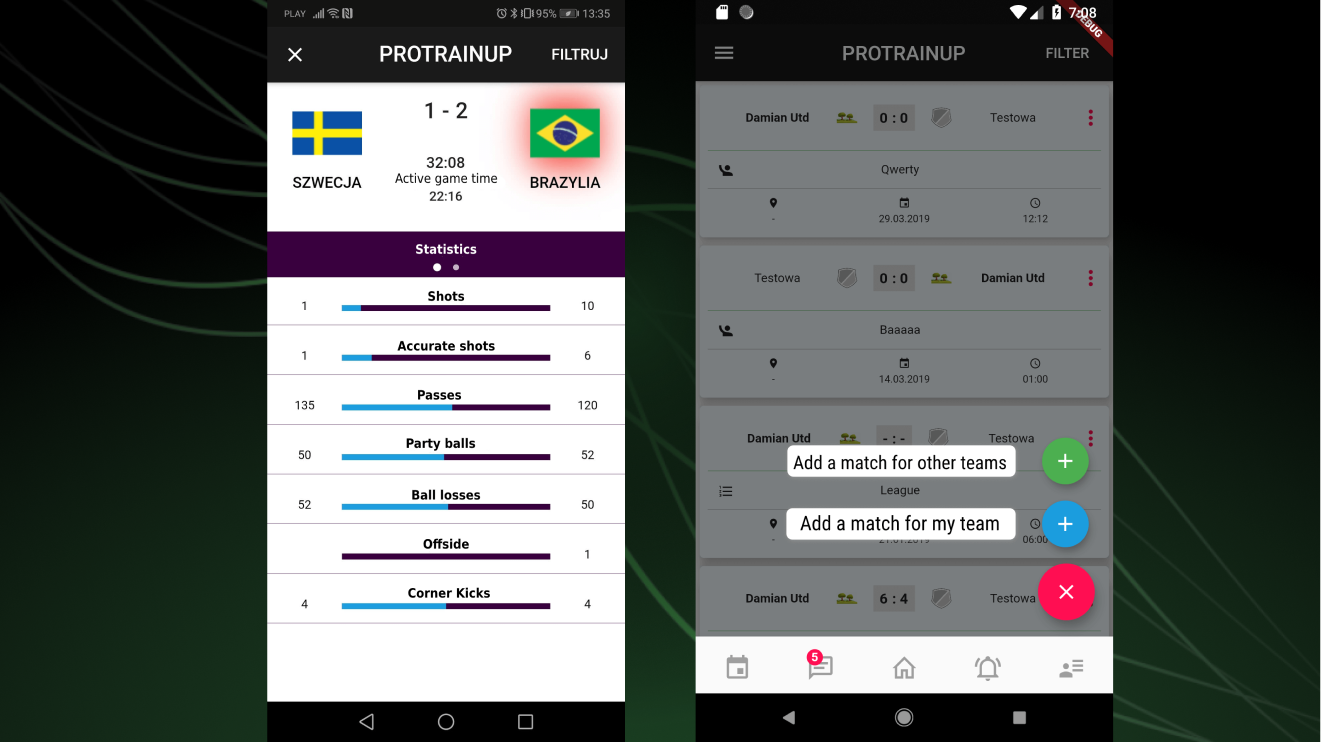
This feature is particularly useful when entering results of matches with a high number of goals, or in sport disciplines where many points are scored. For a result like 22:3 with flying substitutions, instead of filling in a very long match report, it is worth using the individual player statistics option.
To access this section, go to the Schedule and select "Player match statistics" from the menu of a given match.
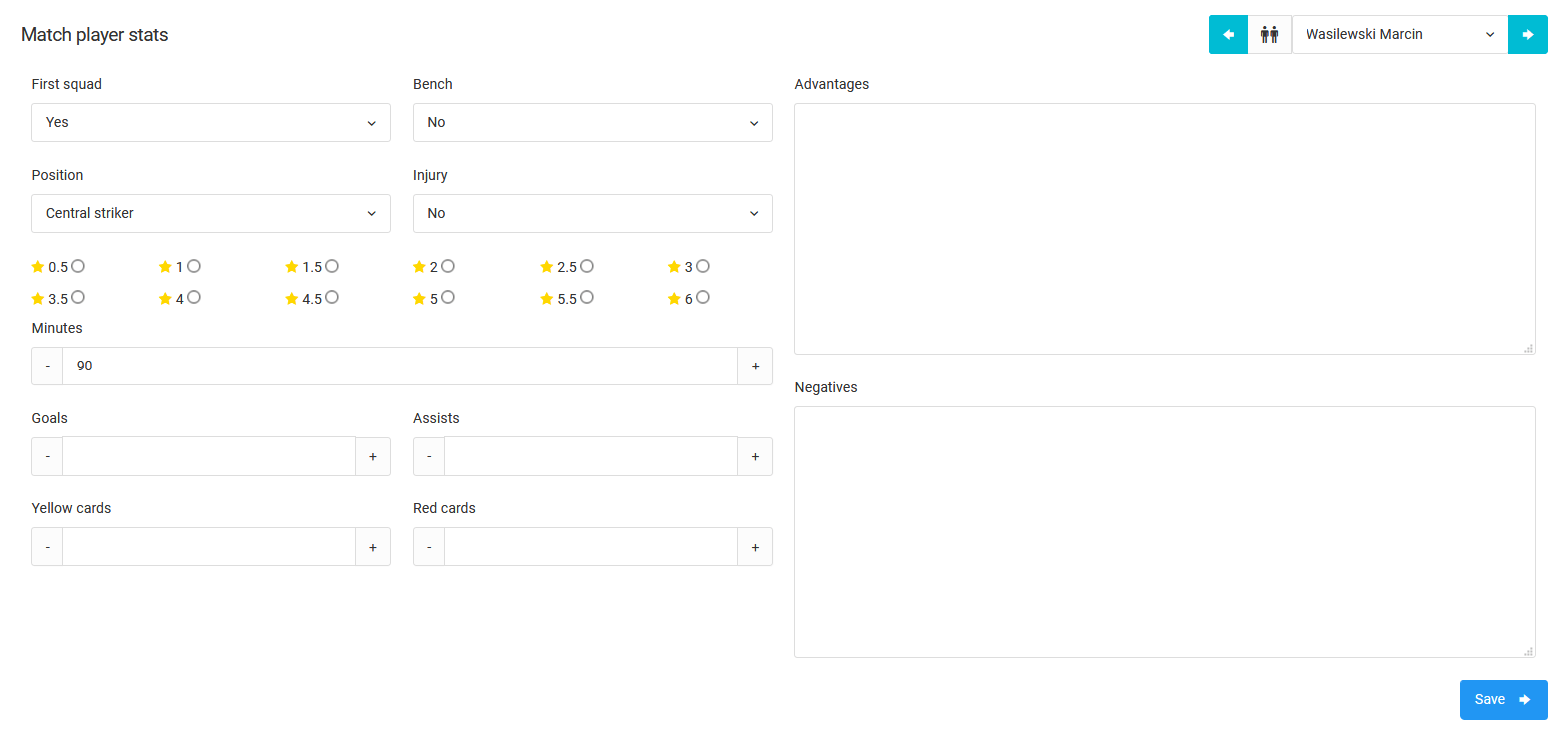
From this place you can manually enter for each player:
- Goals scored or points earned,
- Minutes spent on the pitch,
- Assists and penalties,
- Match performance rating,
- Description of performance highlights and weaknesses.
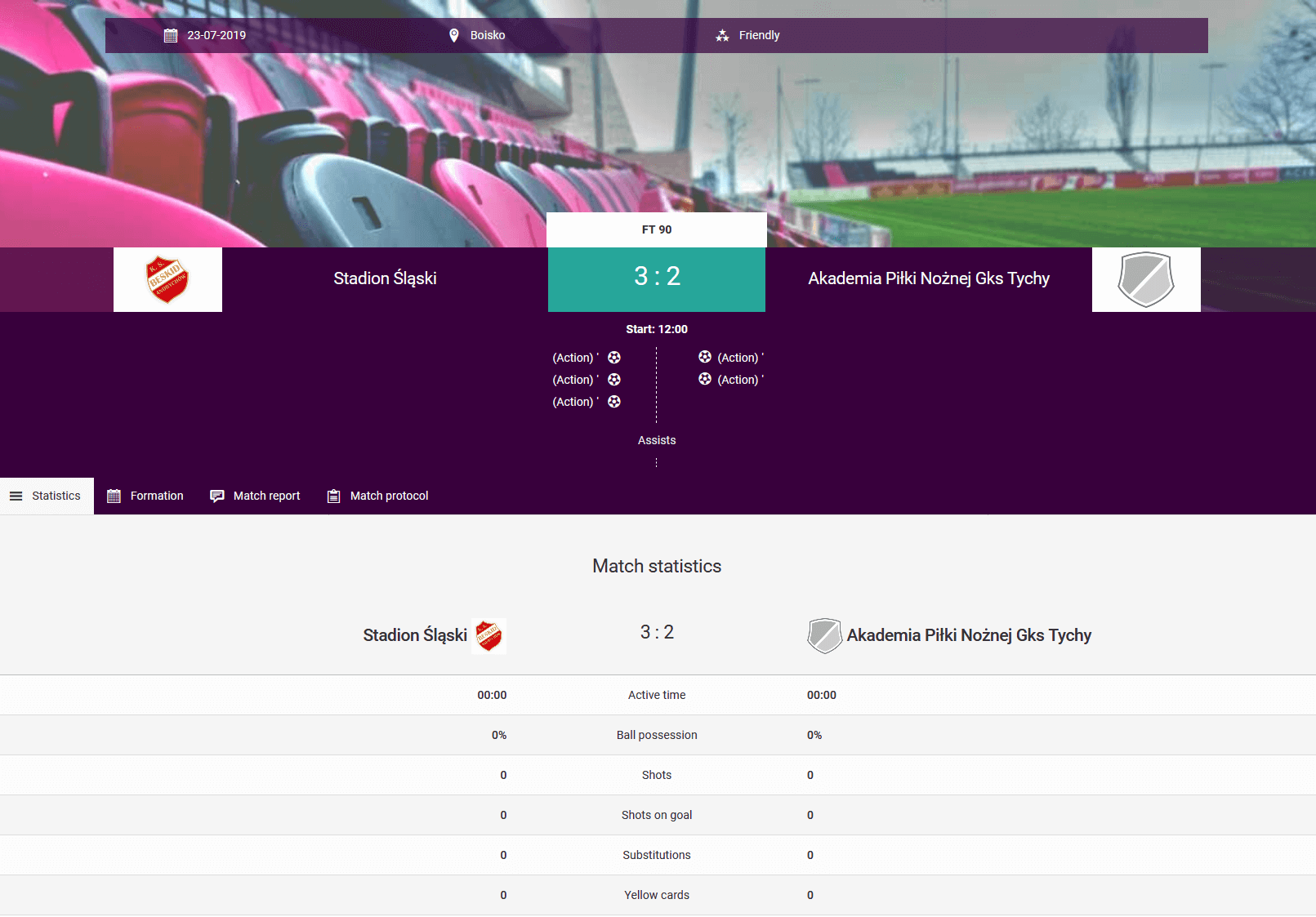
The end result of completed match statistics is a full match report.
Match Organization
A guide to organizing matches — from adding a fixture and setting up the match lineup, through generating public links and live match updates, to notifying players of their call-up.
System Detailed Reports
Predefined system reports aggregating player data — available for download in XLS, CSV, and PDF formats.