

Attendance
Checking Attendance
Check player attendance at training sessions and matches — available from both the mobile application and the online version of the system.
Two Ways to Check Attendance
Attendance can be checked in two ways:
- Mobile application — the most convenient solution, available anywhere,
- Online version — select Diary → Attendance → Check Attendance from the left menu.
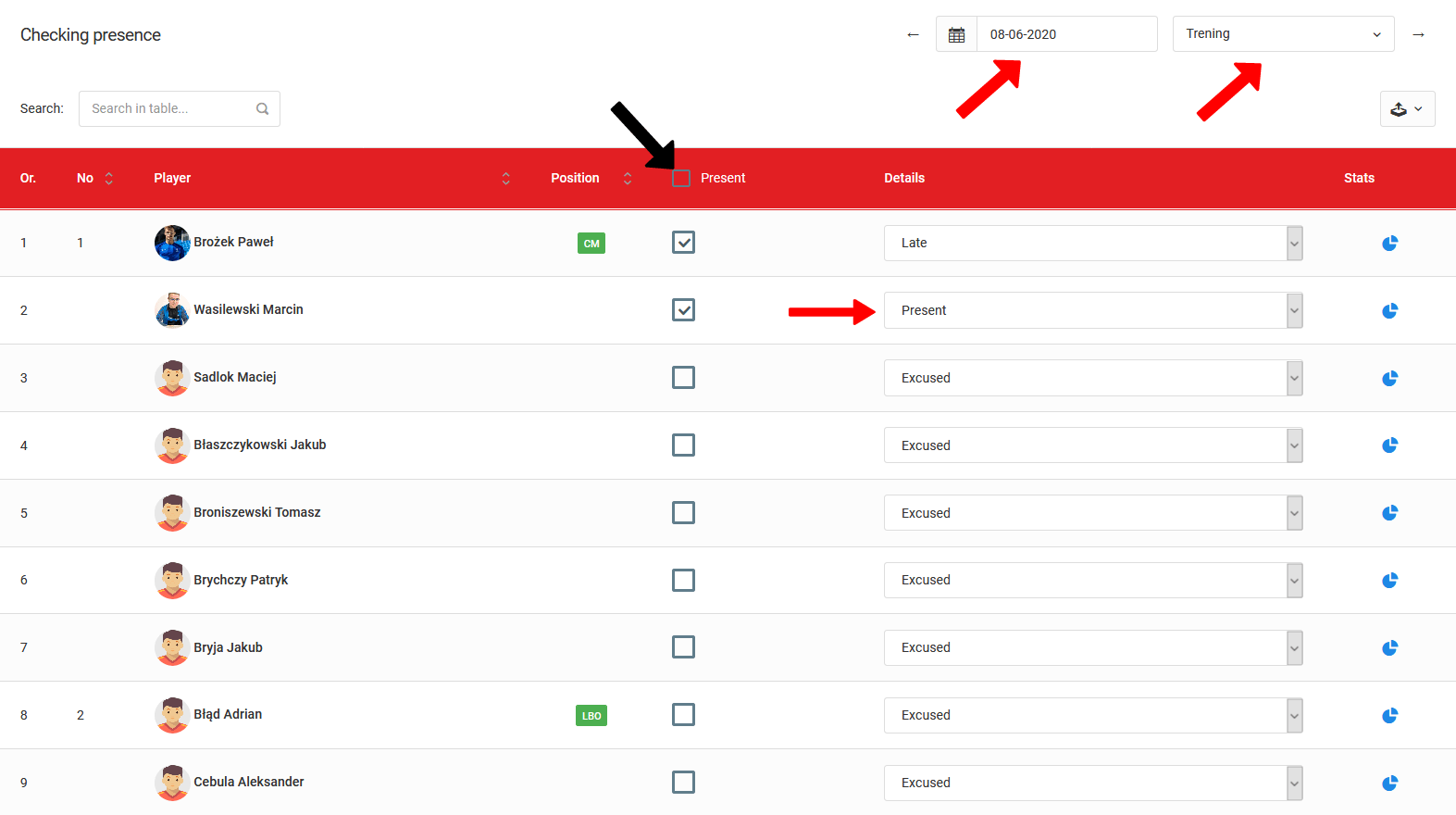
Attendance Window
In the attendance window you will find several key elements:
- Date and training selection — two selection fields in the top right corner allow you to choose the date and the specific training session for that day,
- Attendance checkboxes — checking a box marks the player as present at training,
- Details column — select the reason for a player's absence from the dropdown list.
To check attendance, you must first create a training session. You can schedule more than one training session per day — also from the mobile application.
Mobile Application
The module works the same way in the mobile application — you can select a specific training session and mark late arrivals and absence reasons.
Available exclusively in the mobile application — the ability to send the guardian a notification about a player's absence from training.
Video Tutorial
Test Reports
Generate reports based on player test results — create summaries, rankings, and tables from any data available in the system.
Monthly Attendance Table
A visual summary of player attendance at training sessions and matches — with automatic summaries, attendance symbols, and an interactive pie chart.