

Fatigue Analysis
Coach Data Collection
Manual entry of fatigue survey results by the coach — for players who have not submitted data through the mobile application.
Manual Data Entry
In exceptional situations where players have not submitted data through the mobile application, you can enter it manually. To do so, select Diary → Fatigue Analysis → Results Sheet from the left menu.
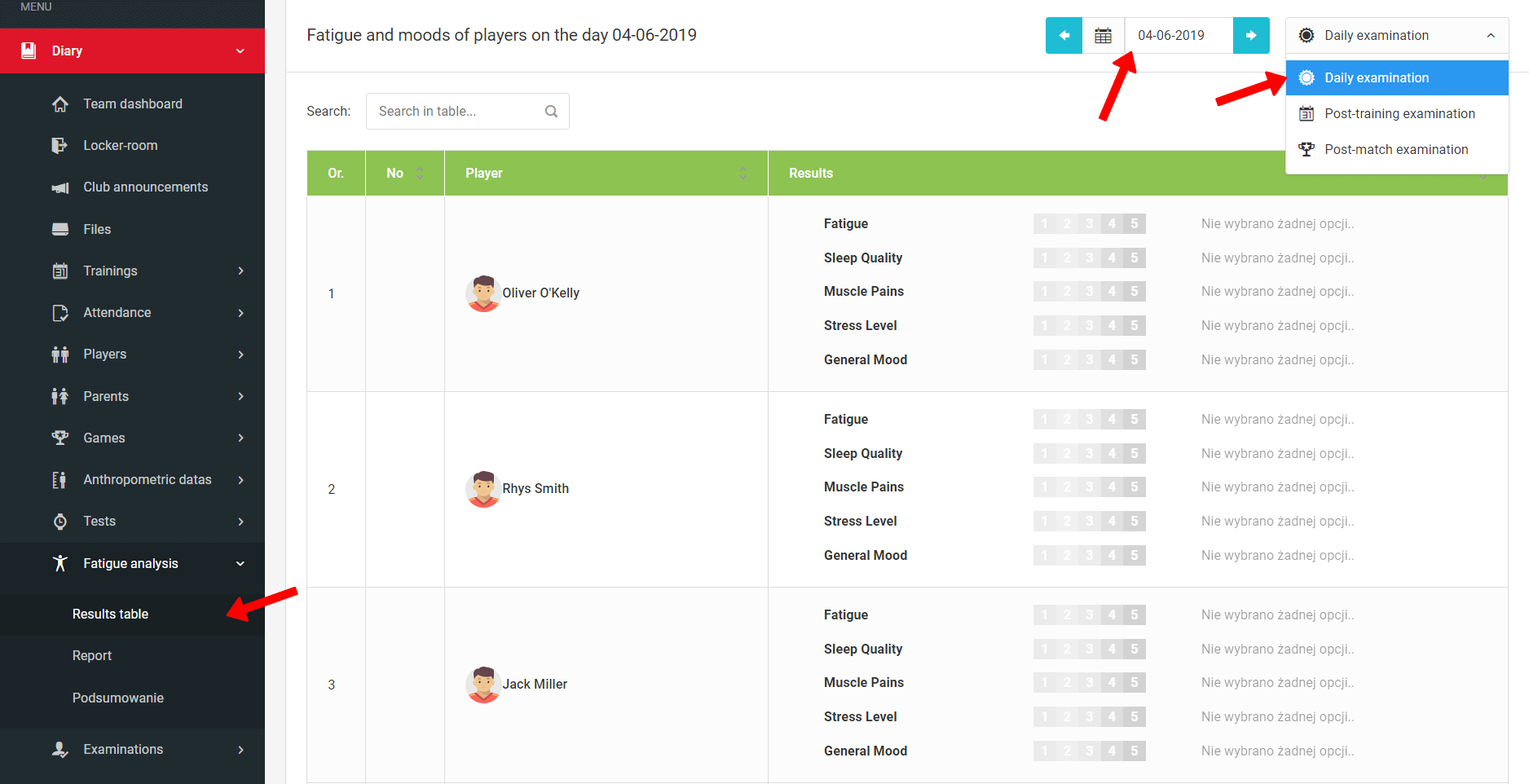
Follow these steps:
- Select the day for which you are entering the measurement,
- Select the survey type,
- Mark the appropriate answer on the results scale for each player.
Notifications and Entering Results
Configure push notifications for players and enter fatigue and wellbeing survey results — daily, post-training, and post-match.
Reports & Analysis
A comprehensive module for player fatigue reports and analysis — with charts, collective summaries, fatigue units, and individual result comparison against team averages.