

Staff Management
Adding an Employee
Manually add club employees and import a list from an XLS file — with the ability to assign roles and contact details.
Adding an Employee Manually
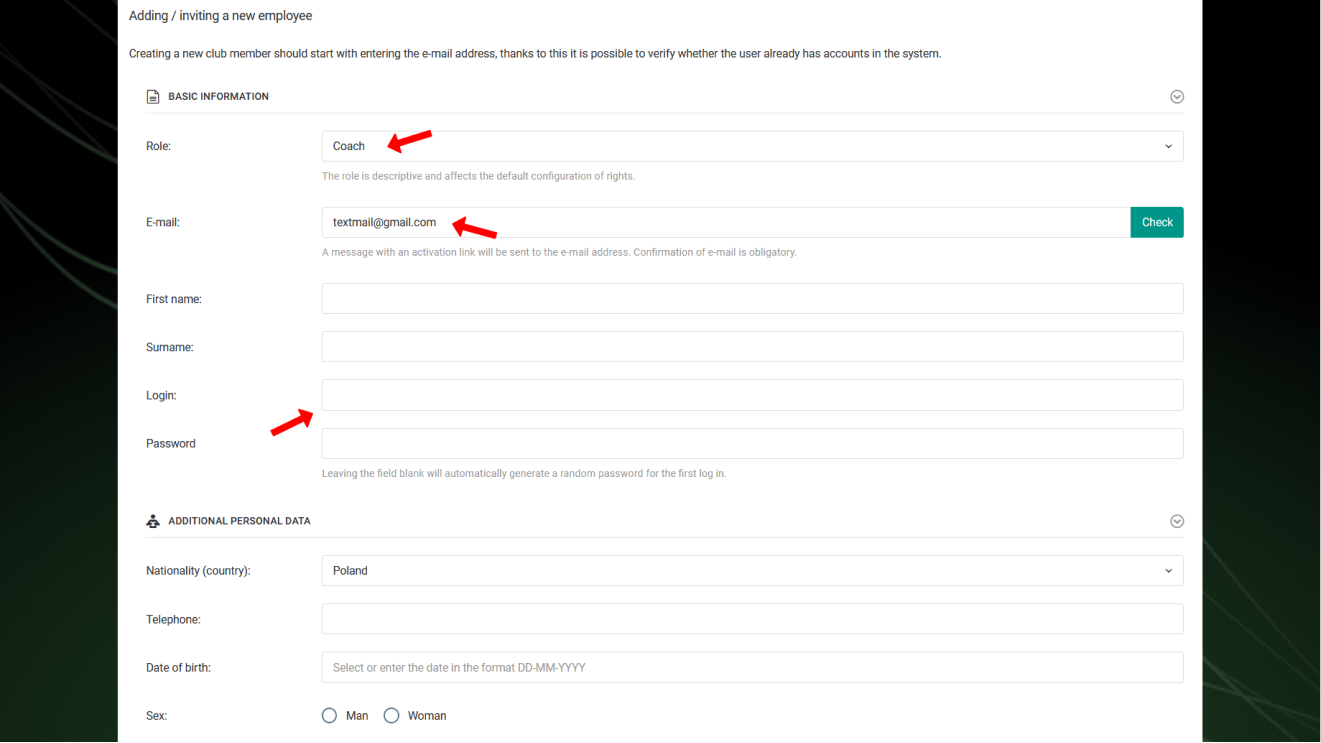
To add an employee, select Club → Employees → Add New from the left menu. Start by entering the email address — the system will check whether the user already has an account in ProTrainUp.
If the user does not yet have an account, fill in the following details:
- Club role,
- First and last name,
- Email address,
- Login and password,
- Optionally: date of birth, nationality, gender, phone number.
If you provide the coach's email address, the login and password will be automatically sent to that address.
If the coach previously had an individual account in ProTrainUp or worked at another club using the system — contact us.
Importing Employees from a File
Just like with players, you can import an employee list from a file. Select Club → Employees → Import Employees from the left menu.
Supported file formats: XLS, XLSX, ODS, ODSX, CSV (UTF-8 encoding).
File requirements:
- Employee data in separate columns — in order: first name, last name, email,
- Maximum number of rows: 50,
- Minimum required data: first and last name (email address optional).