

Notifications and Entering Results
Notification Configuration
The first step is to configure when the mobile application will notify the player to fill in the survey. To access the configurator, select Diary → Team → Diary Settings from the left menu.
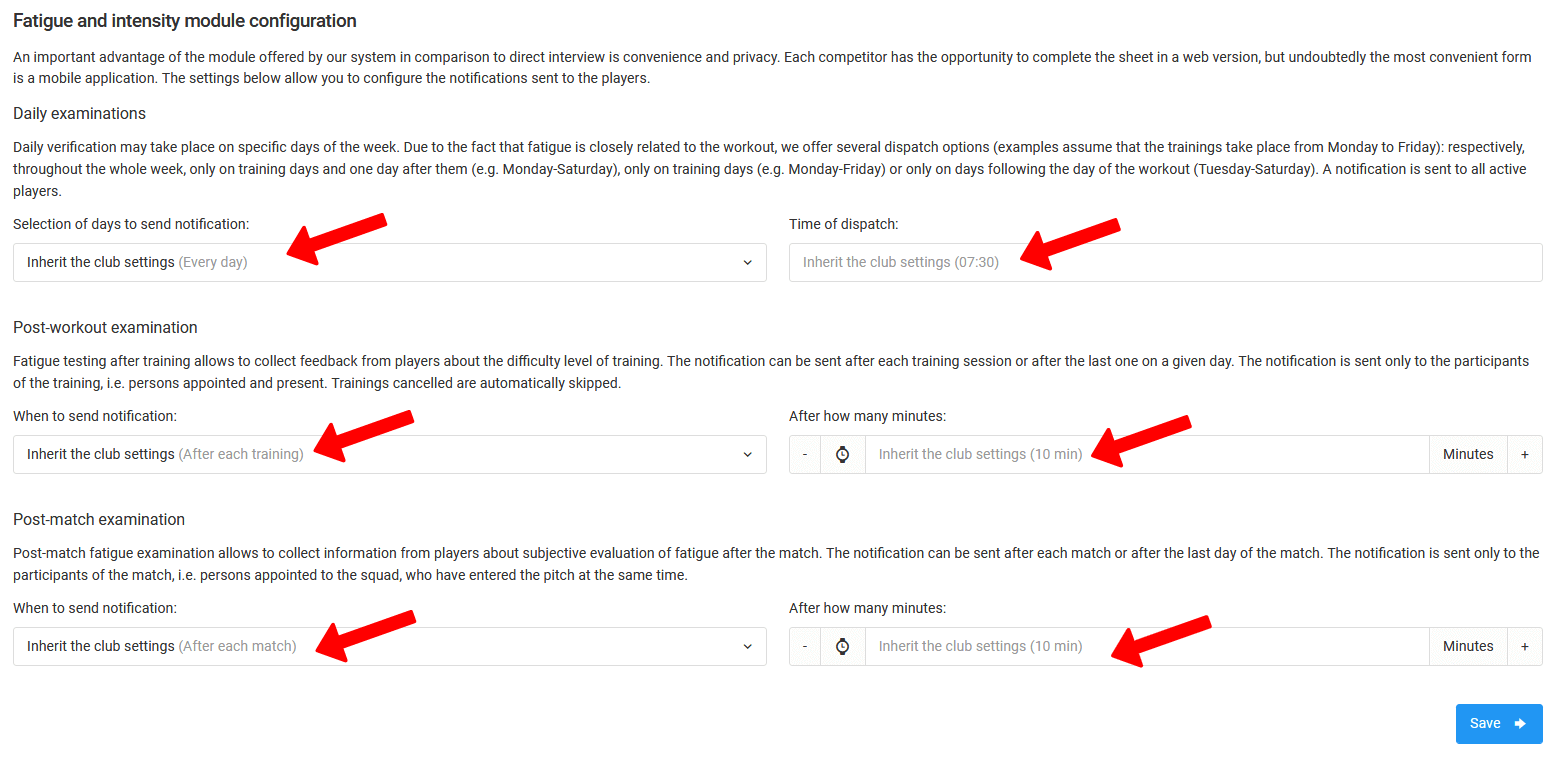
The configuration covers three notification types:
Daily survey — available sending options:
- Disabled,
- Every day,
- On training days + the day after,
- Training days only,
- Days after training only.
Post-training and post-match survey — available sending options:
- After every match/training session,
- After the last match/training session of the day.
You also set the notification send time (daily survey) and the time in minutes after training or a match. Once all fields are filled in, click the blue "Save" button.
Entering Results
In line with the notification configuration, players will receive a push notification on their phones asking them to fill in the fatigue and wellbeing survey.
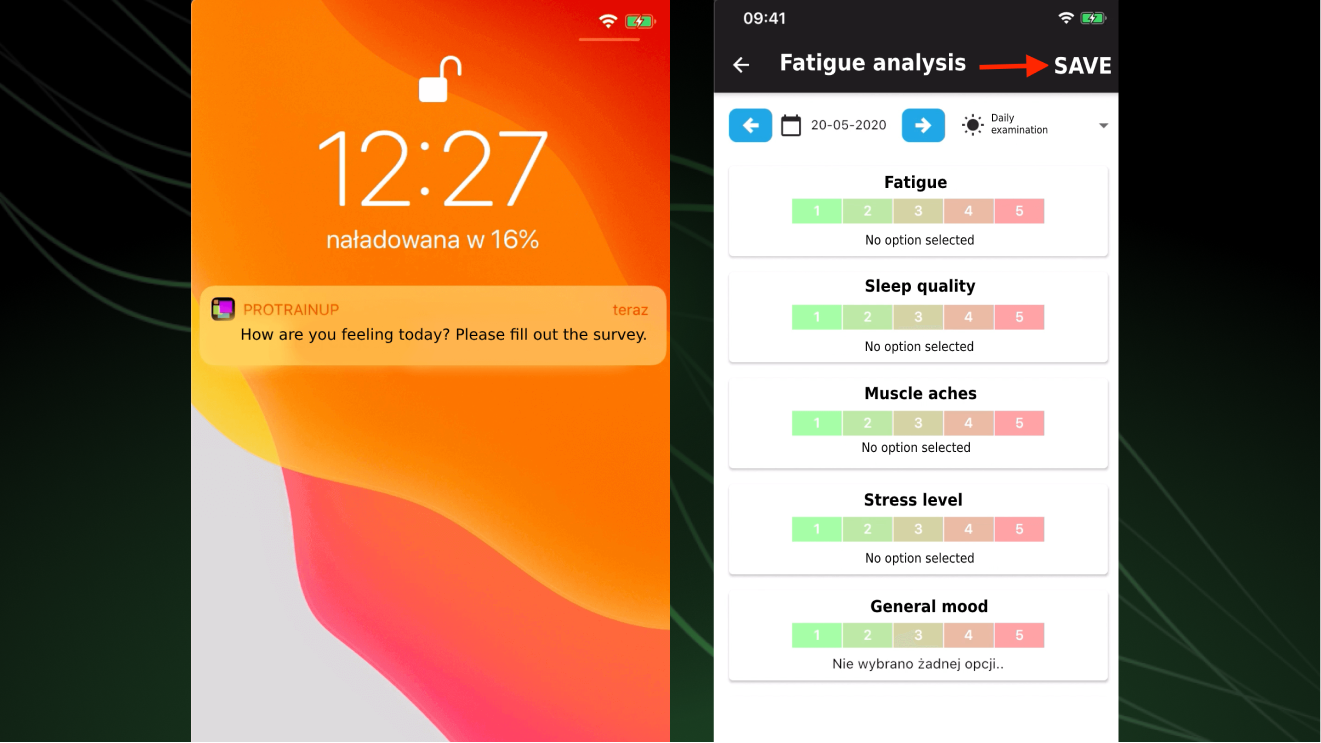
After clicking the notification or navigating to Diary → Fatigue Analysis → Results table, the player will be taken to the survey view with the appropriate number of questions for the given measurement type.
- Post-training analysis — the player must be on the training session participant list and attendance must have been checked. Notifications are only sent once attendance has been marked.
- Post-match analysis — the player must be called up for the given match.