

Evaluations & Observations
Evaluation sheet wizard
Create evaluation and observation forms — configure parameters, build the form structure, and manage fields in the form builder.
Creating a worksheet
To access the evaluation form creator, select Club → Evaluations and observations → Sheets → Evaluation sheet wizard from the left menu.
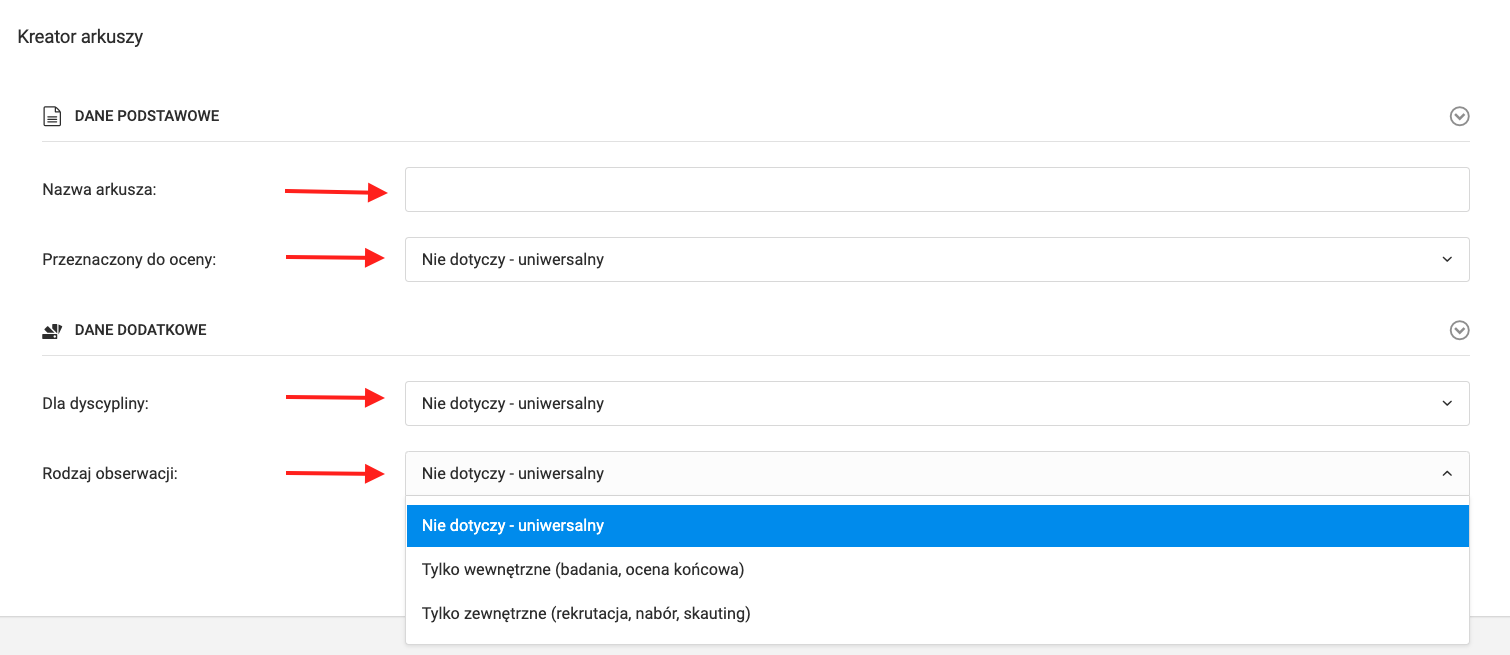
In the first step, fill in the following parameters:
- Form name,
- User type — universal form, for players, coaches, or club employees,
- Sport discipline,
- Type of observation or evaluation.
Form Builder
After setting the parameters, you will be taken to the form builder.
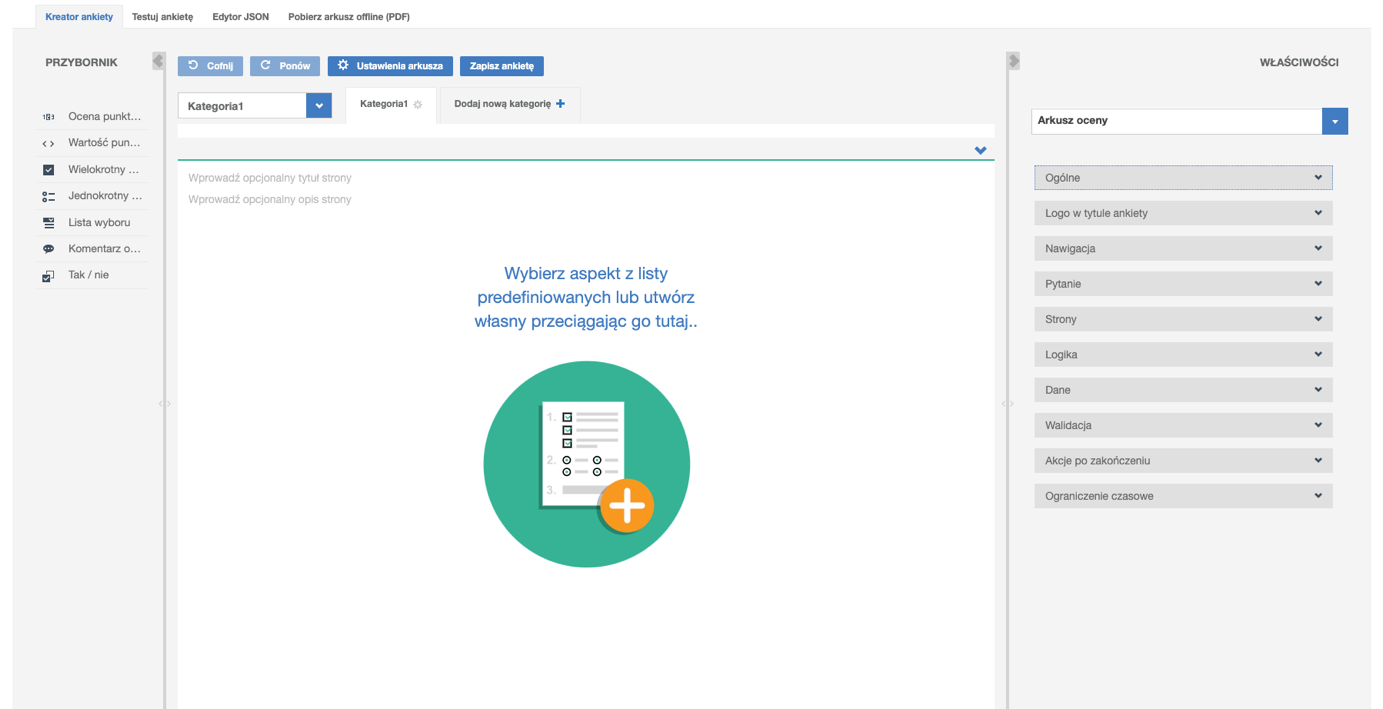
The builder consists of several main elements:
Top Menu
Contains options including:
- Download form as a PDF file,
- Preview the current version of the form for testing,
- Page tabs — add further steps to the form by clicking "Add new page".
Toolbox (left side)
Contains fields to add to the form:
- Custom fields — freely configurable,
- Predefined fields — user data, profile data, guardian data, player data.
To add a field, drag it from the toolbox to the desired position on the form.
Properties (right side)
In the settings you can configure:
- Step logic for filling in the form,
- Maximum time to complete the form,
- Club logo in the PDF report,
- Form validation,
- Thank-you email to the respondent,
- Message after submission,
- PDF answer sheet sent to the respondent's email address.
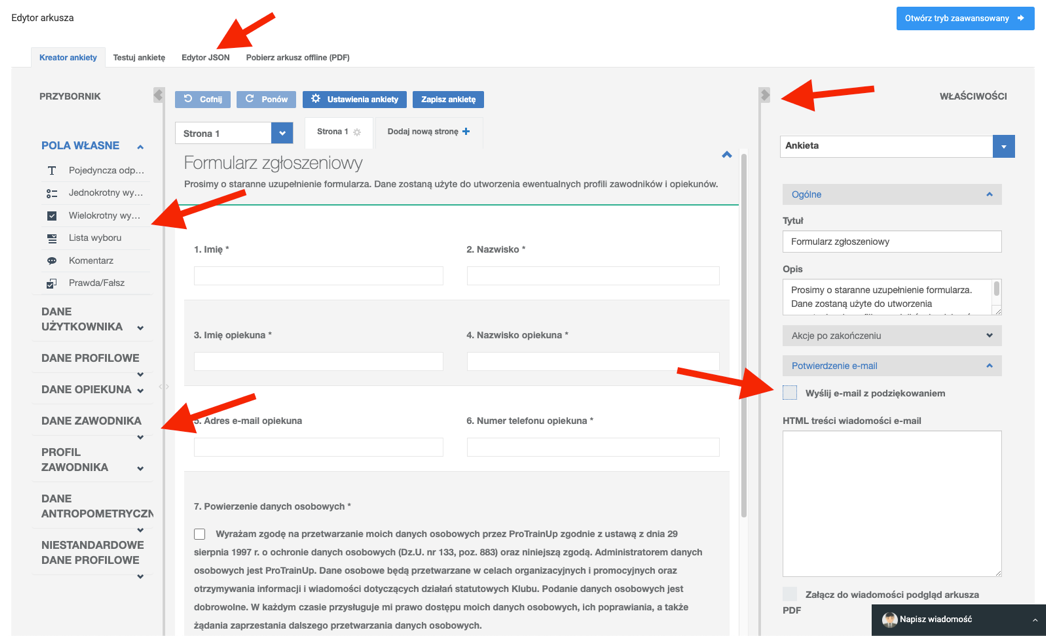
To save the form, click the blue "Save form" button in the builder's top menu.