

Competition Management
Adding Competitions
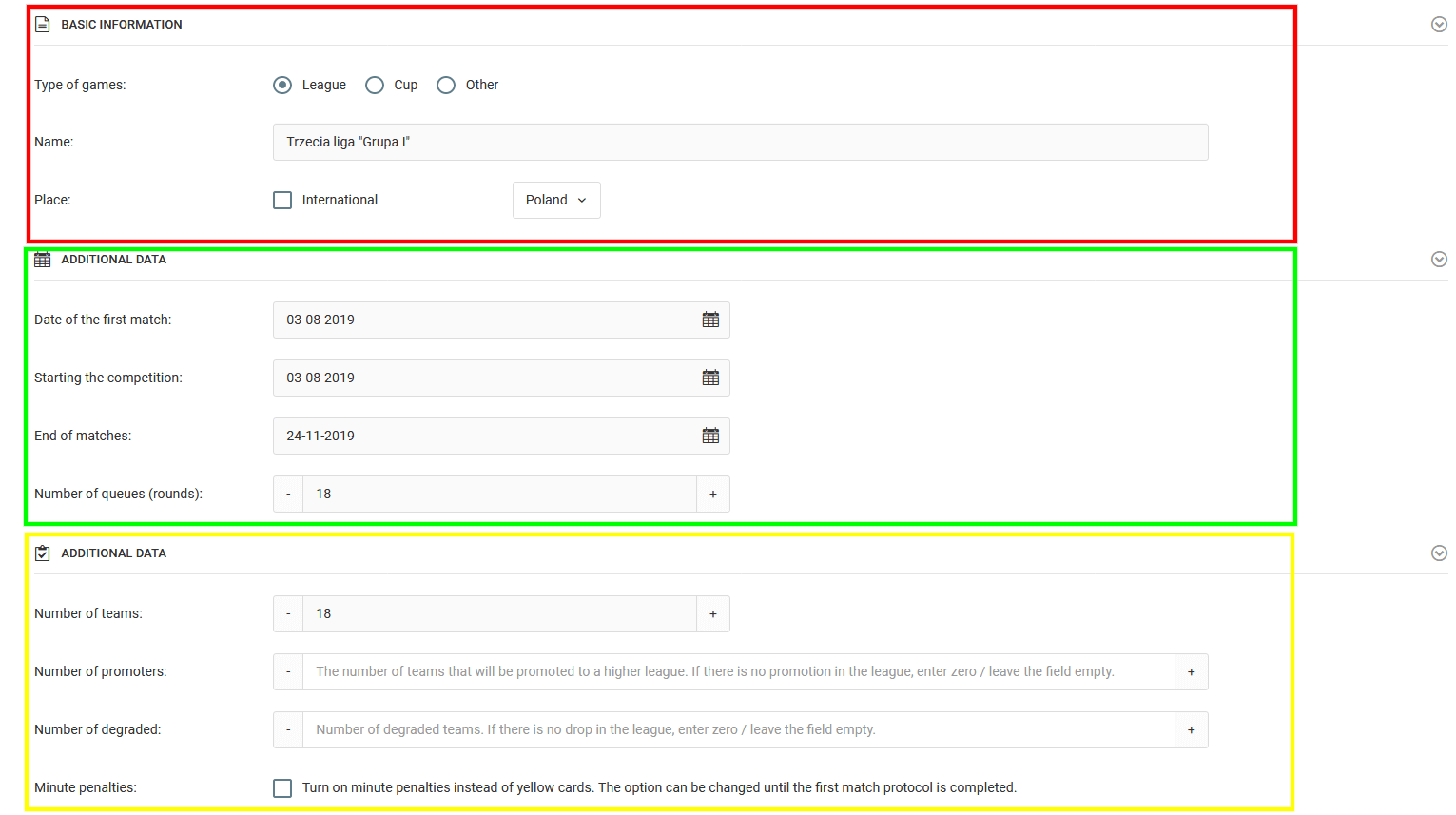
To add a new competition, click the Diary → Competitions → Add Competition tab in the left menu. The system offers two options for adding competitions:
Option 1 — Import from PZPN
Available exclusively for teams participating in official PZPN competitions. It involves importing ready-made match schedules for the selected league from the competition database, which we update twice a year.

Option 2 — Manual Data Entry
Standard manual entry of all data in the competition creation form. Based on the entered data and the team list, the system will automatically create the competition along with the match schedule.
Adding Teams
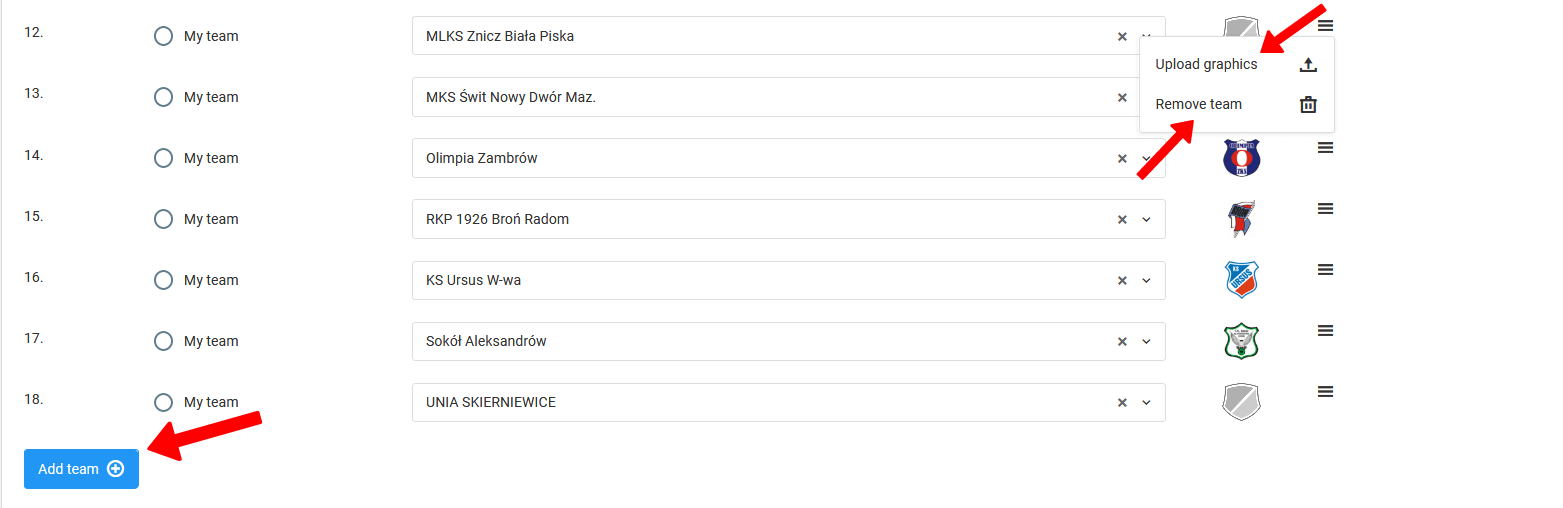
After entering the basic competition data, the next step is to fill in the list of teams participating in the competition. In this step you can:
- Enter team names,
- Add team crests,
- Remove or add a team — available when editing existing competitions.
Scheduling Matches
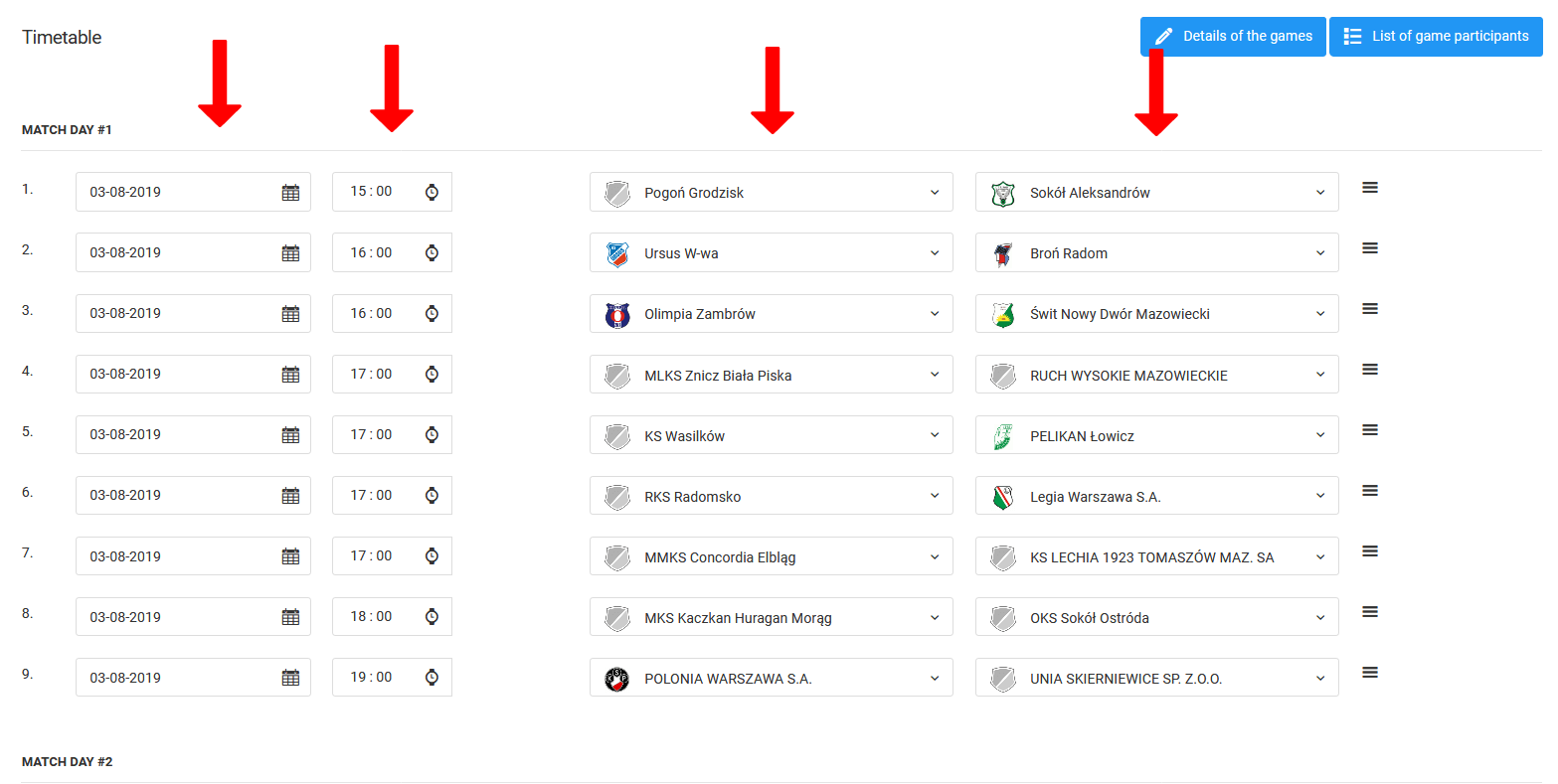
The final step in creating a competition is assigning match pairs for each round. You can do this all at once or in stages. For each match you set four elements:
- Date,
- Time,
- Home team,
- Away team.
League Table
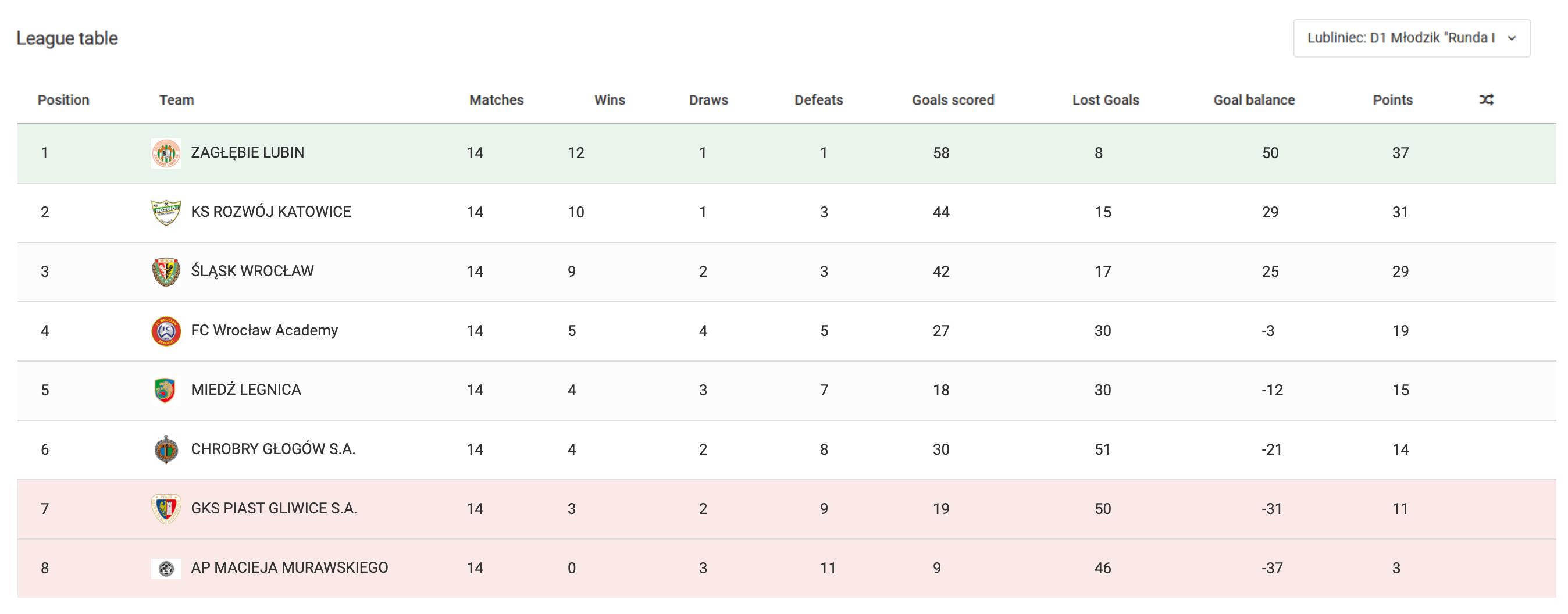
Based on the competition parameters and match results entered into the system, the league table for each competition is generated automatically.
Video Tutorial
Drafts
A guide to creating and managing training drafts — from building your own structure, through adding exercises, to downloading ready-made drafts in PDF format.
Match Organization
A guide to organizing matches — from adding a fixture and setting up the match lineup, through generating public links and live match updates, to notifying players of their call-up.