

Facilities
Adding a Facility
A facility is the top-level element/address to which you add specific sub-facilities. The best way to illustrate this is a training centre as the parent facility, with its sub-facilities being: pitch no. 1, pitch no. 2, sports hall, etc.
To add a new facility, select Club → Facilities & Reservations → Add Facility from the left menu.
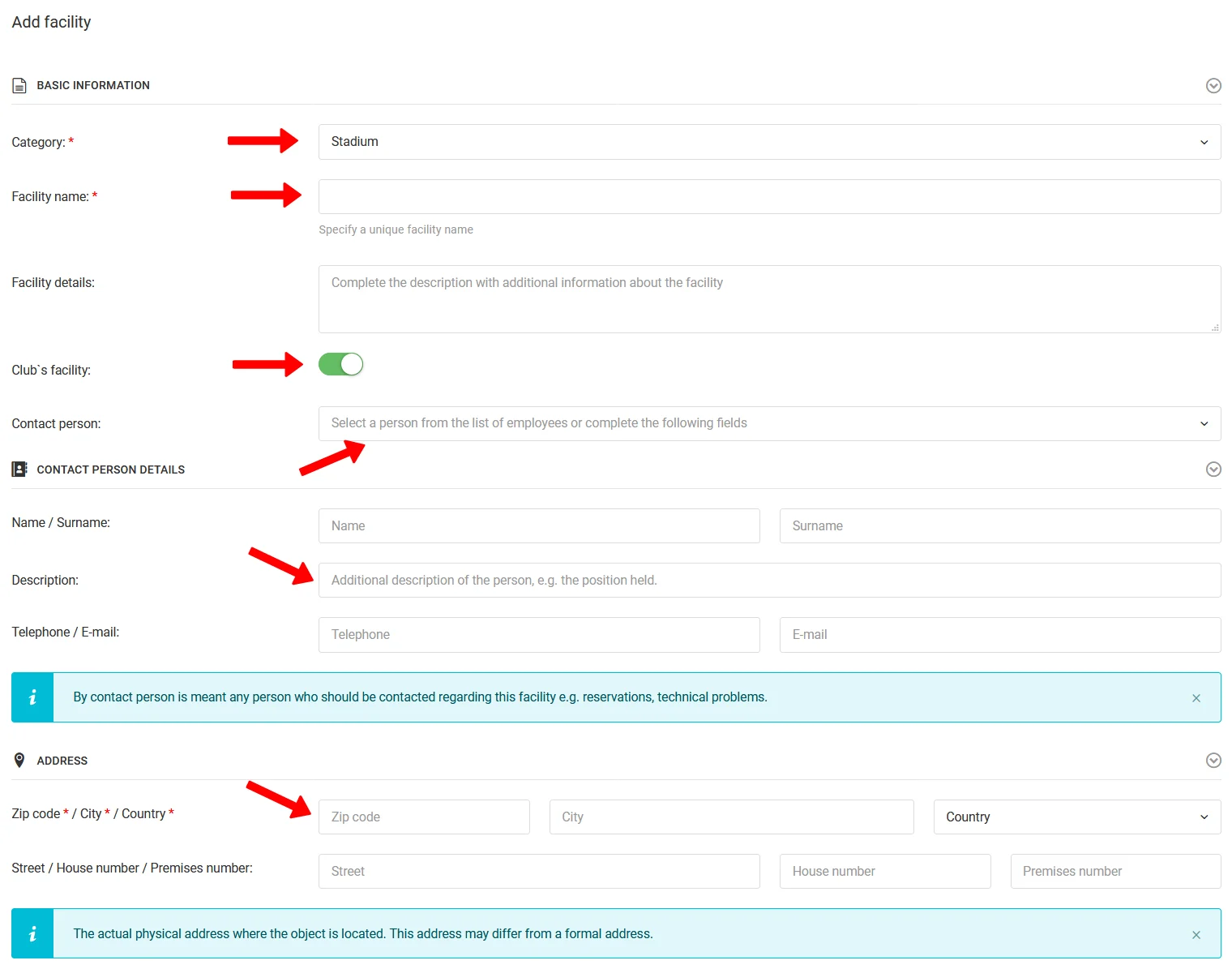
Basic Details
Fill in the following fields in the form (required fields marked with an asterisk):
- Facility type — stadium, training centre, school, etc.,
- Facility name,
- Description — optional.
Owner & Contact
Specify whether the facility belongs to the club:
- Yes — select a contact person,
- No — provide the facility owner's details and contact person.
Address
Fill in the facility address — the minimum is general data (city and postal code).
Facility Preview
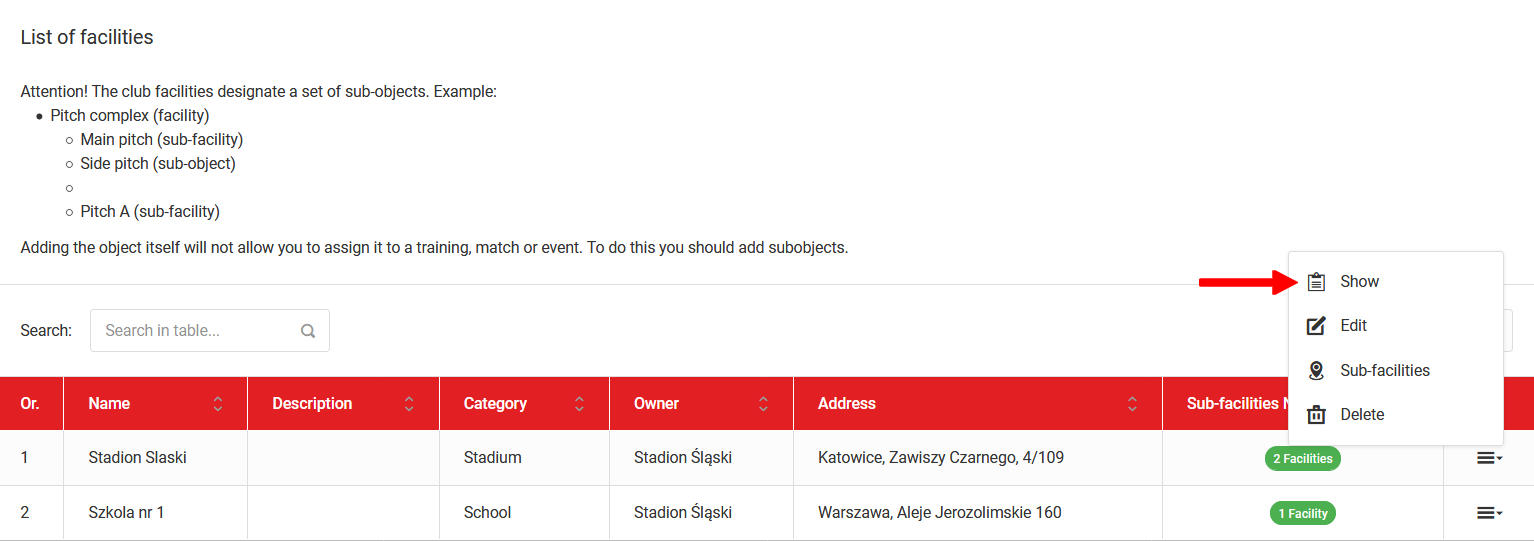
To view a facility, select Club → Facilities & Reservations → Facility List from the left menu and click the "Preview" option in the menu next to the given facility (last column). From the same menu you can also edit or delete the facility.
In the facility preview you will find:
- Contact details,
- Location — with a map view,
- Sub-facilities — list of dependent facilities.
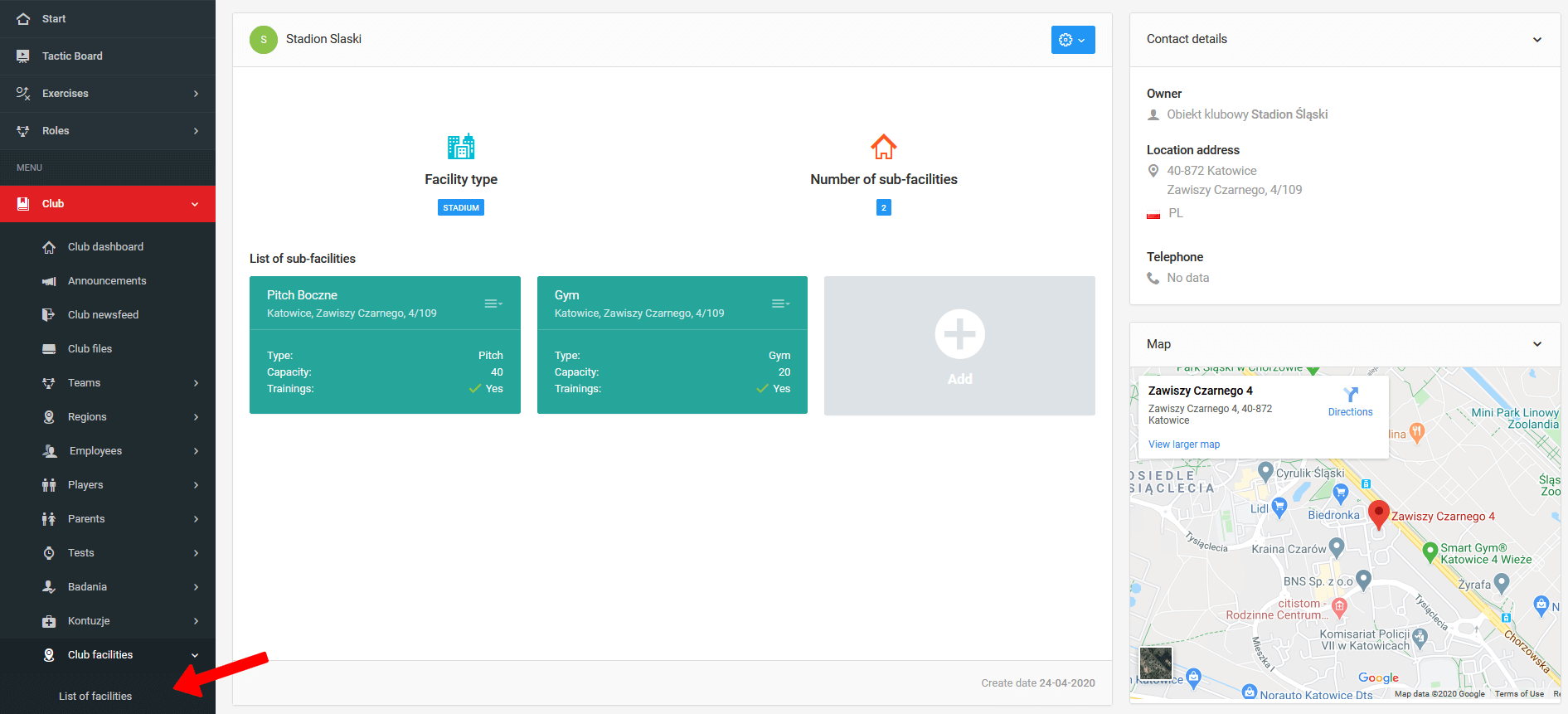
From this place you can also add new sub-facilities assigned to the given parent facility.