

Drafts
Creating the Draft Structure
The system allows you to create your own training draft structure. By default, the draft contains three training parts:
- Warm-up,
- Main part,
- Cool-down.
This allows you to set any number and order of training parts. Parts can be set top-down at the club level and inherited by teams, or created individually for a specific team.
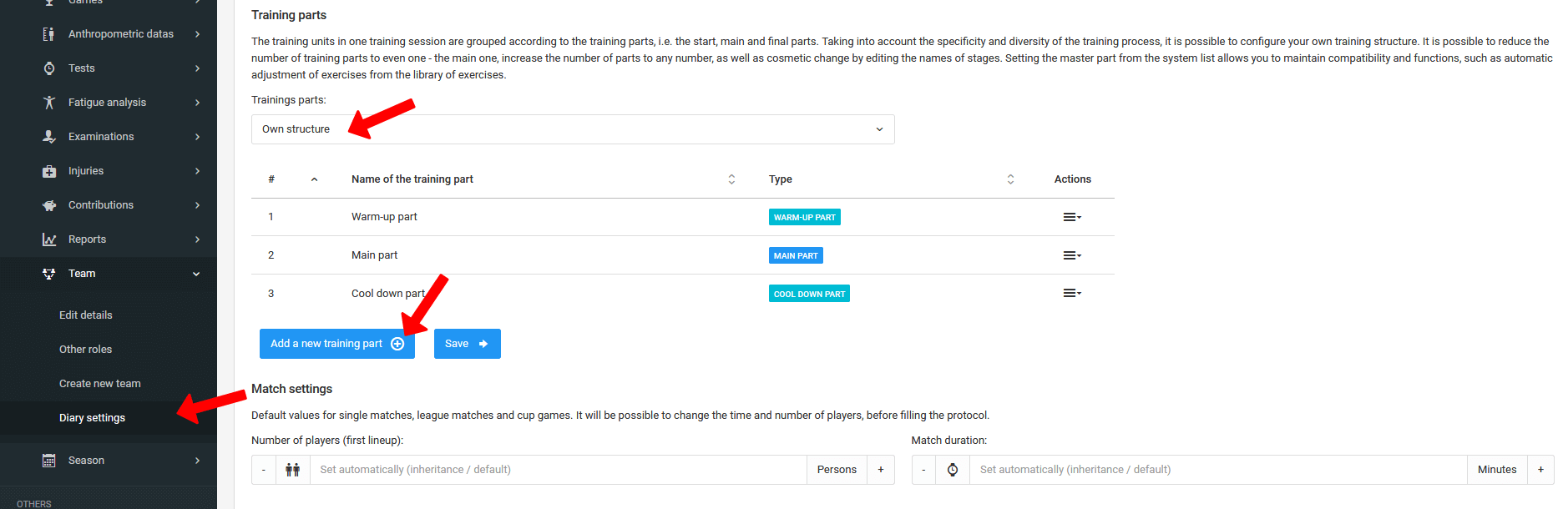
Creating a Custom Training Draft Structure
Adding Exercises to the Draft
Creating a draft is based on adding exercises from the three libraries described in previous chapters. To add exercises, go to the Diary → Training → Schedule tab and click the "Add exercises" button next to the relevant training session.
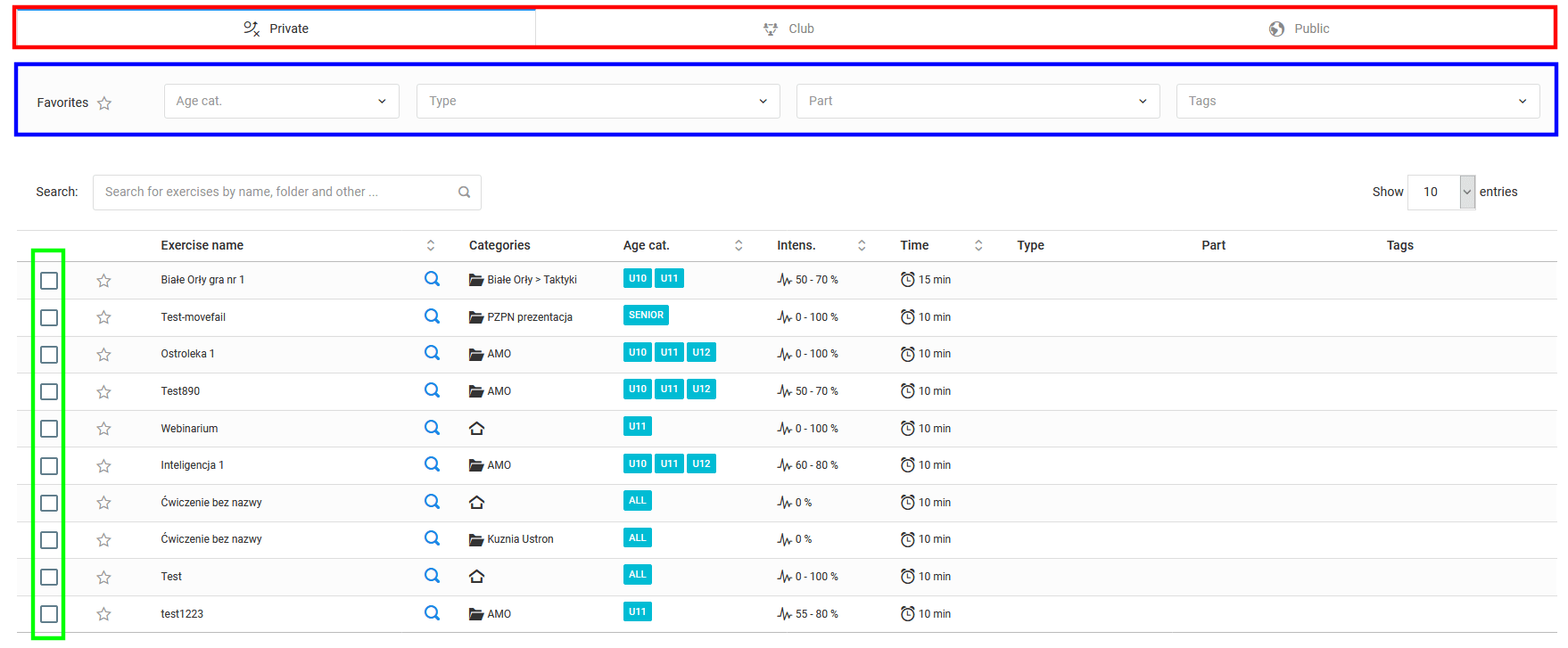
The add exercises window consists of four main elements:
- 1 Library list — depending on your license, two, three, or four libraries may be available,
- 2 Filters — allow you to quickly find the exercise you are looking for,
- 3 Checkboxes — select the exercises you want to add to the draft,
- 4 Exercise list — available exercises along with their parameters.
How to Create a Training Draft?
Setting the Order of Exercises
The order of exercises in the draft is set by dragging — grab the selected exercise with your mouse and drag it to the desired position in the relevant training part.
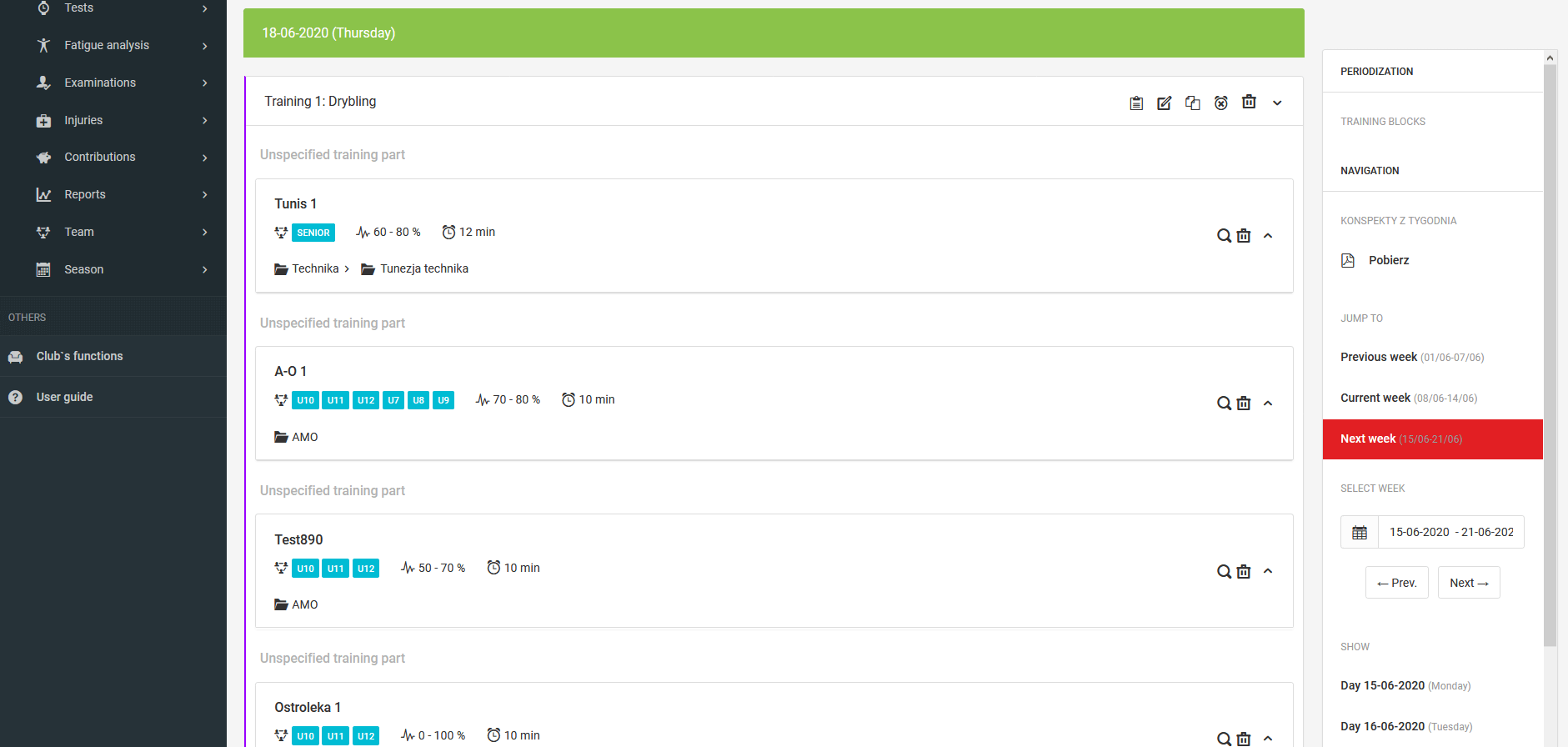
Downloading the PDF Draft
To download the draft in PDF format, click the "Download draft" button located below the selected training session in the Diary → Training → Schedule tab, then select the draft template you want to download.
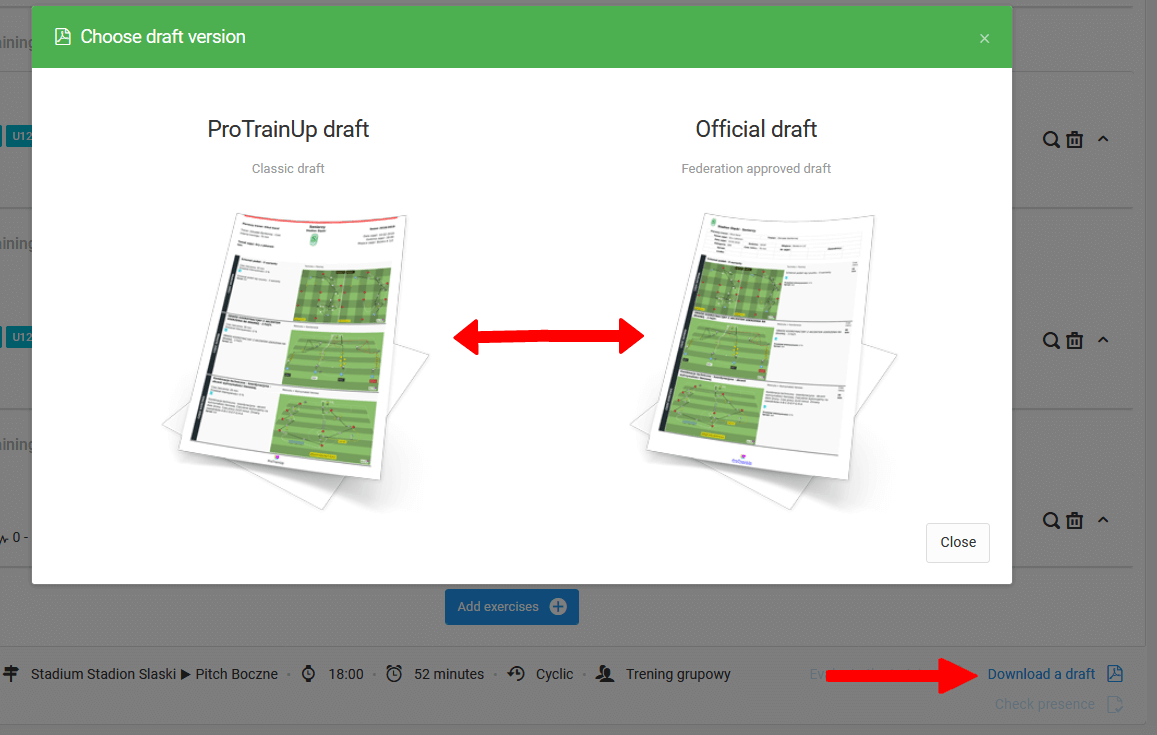
Additional Options
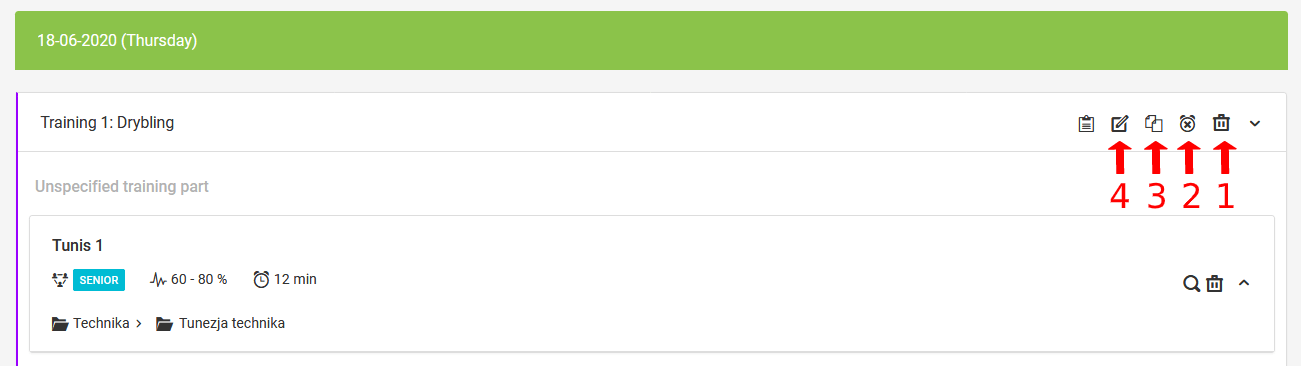
Above each training session, in the top right corner, the following additional options are available:
- Delete training — permanently removes the training session,
- Cancel training — a window will appear where you can enter the reason for cancellation and choose to send a notification to participants,
- Copy training — allows you to copy a training session not only from day to day, but also between teams you manage,
- Edit training — opens the training session editing window.
Draft Library
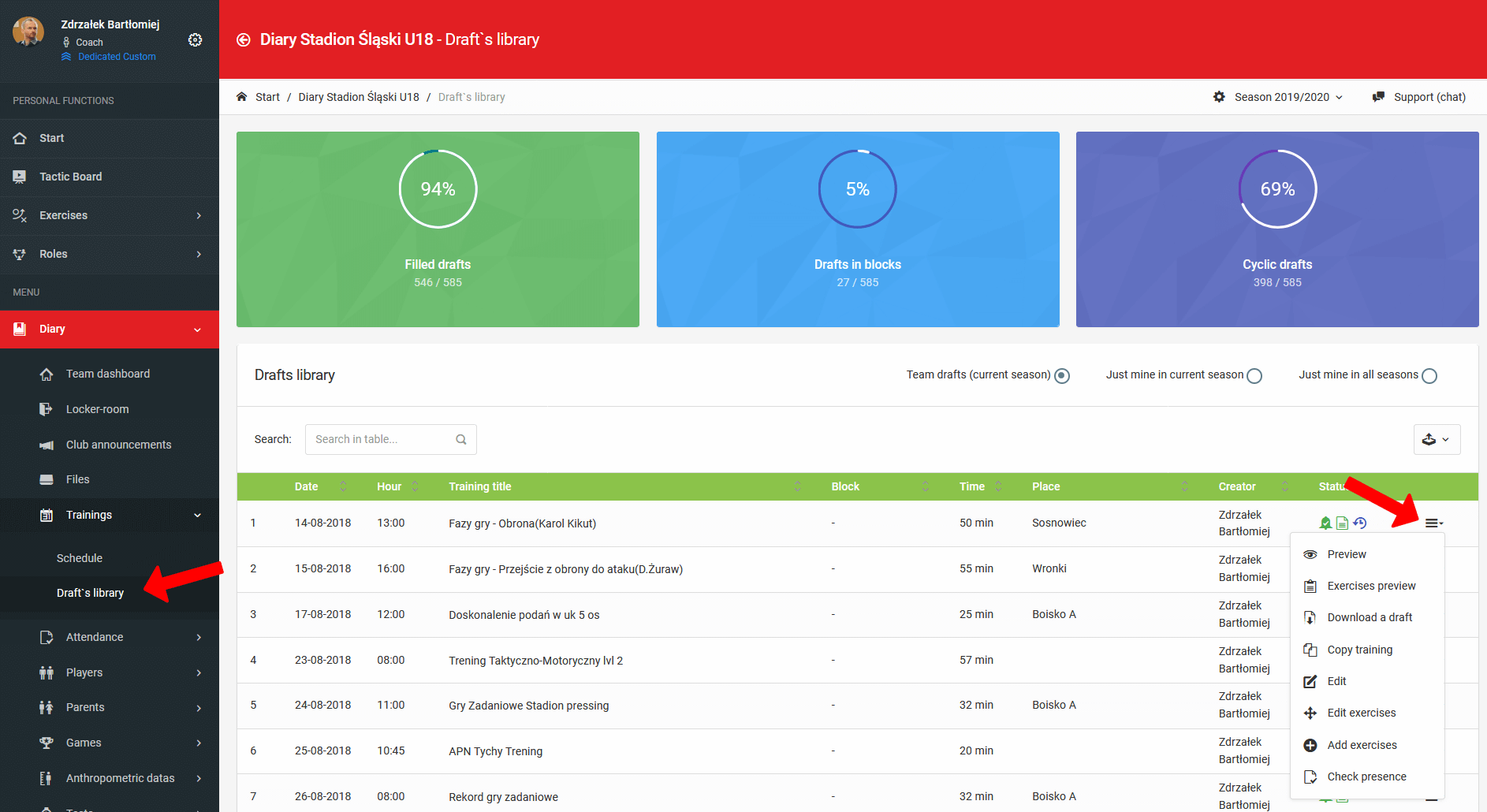
Each team has its own individual database of all completed training sessions along with their drafts, available in the Diary → Training → Draft Library tab.
Training Management
A comprehensive guide to creating and managing training sessions — from basic information, through training goals, to managing participants and notifications.
Competition Management
A guide to creating and managing competitions — from adding competitions and filling in teams, through scheduling matches, to the automatically generated league table.