

Players
Copying of players from the previous season
Learn how to transfer selected players from the previous season to a new one, maintaining the current and correct team roster.
Introduction
After creating the next season in your team, by entering the tab diary -> players -> squad you'll notice the lack of a player list. This situation is intentional and completely normal. Thanks to the player copy from the previous season function, in the new season you will only have players who actually stayed on your team in the new season.
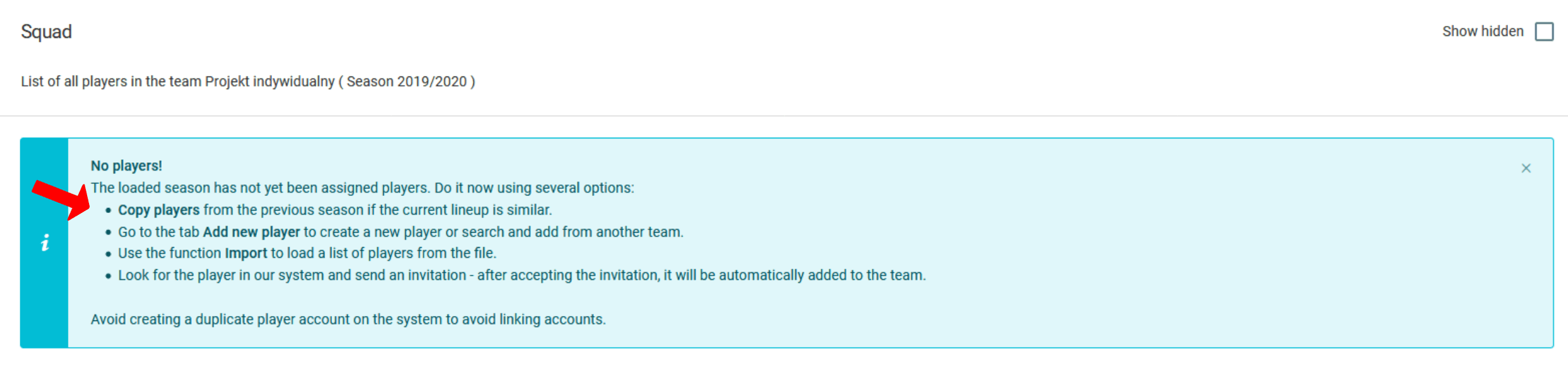
To enter the player copying from the previous season, you can:
- click on the bold text "copy players" as shown in the image above,
- or click on the left menu in
diary->players->copy players.
Player import view
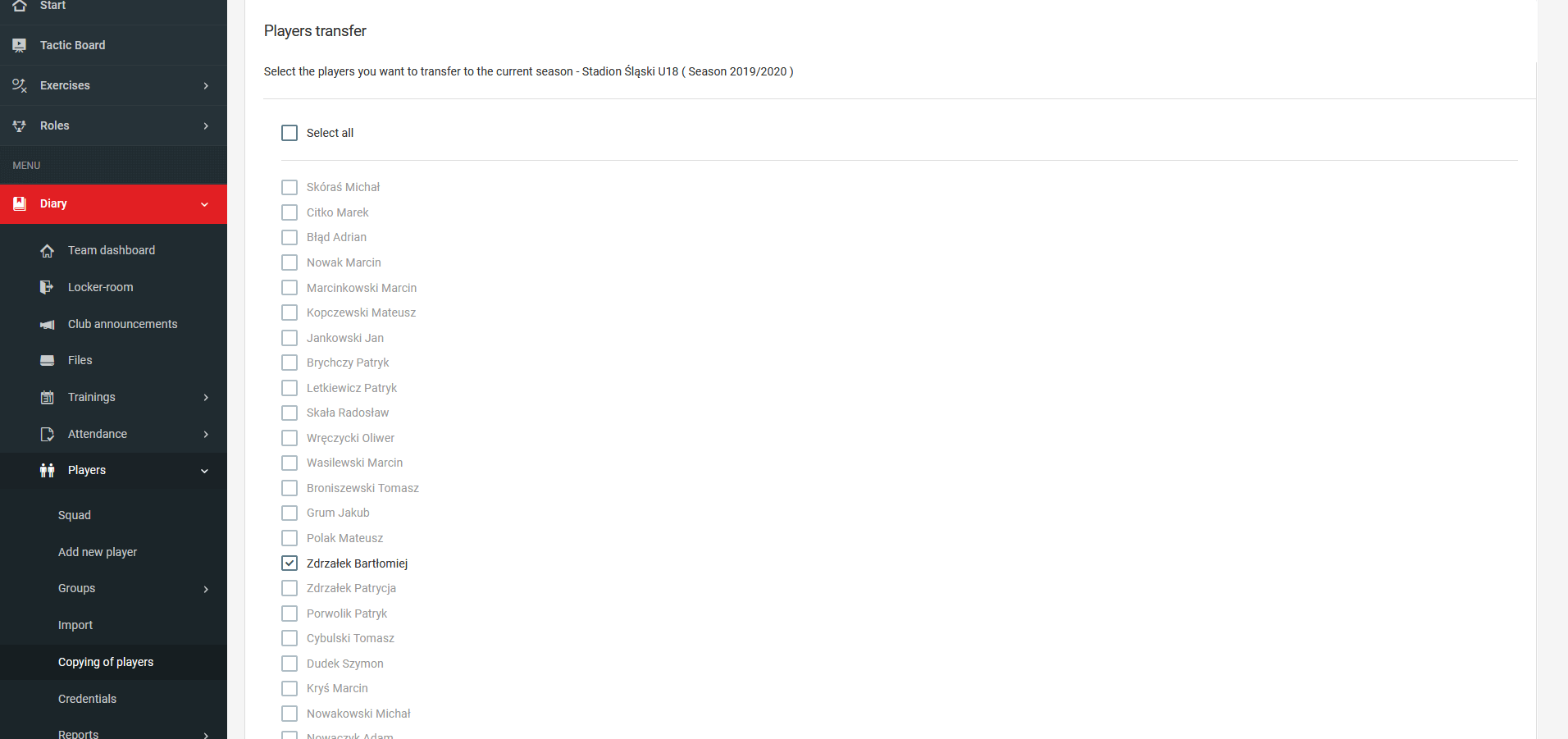
In this view you are able to select a specific group of players to be shown in your diary for the new season. If a player has left your team or club during the inter-season break, you simply do not mark him, thus skipping him.