Payment Automation
Bank Statement Parsing
The bank statement parsing module is an extension of the manual contributions module. Based on a bank file containing transaction history, the system automatically marks player and parent payments in the contributions table. To access the module, select Contributions → Transfers → Import from the left menu.
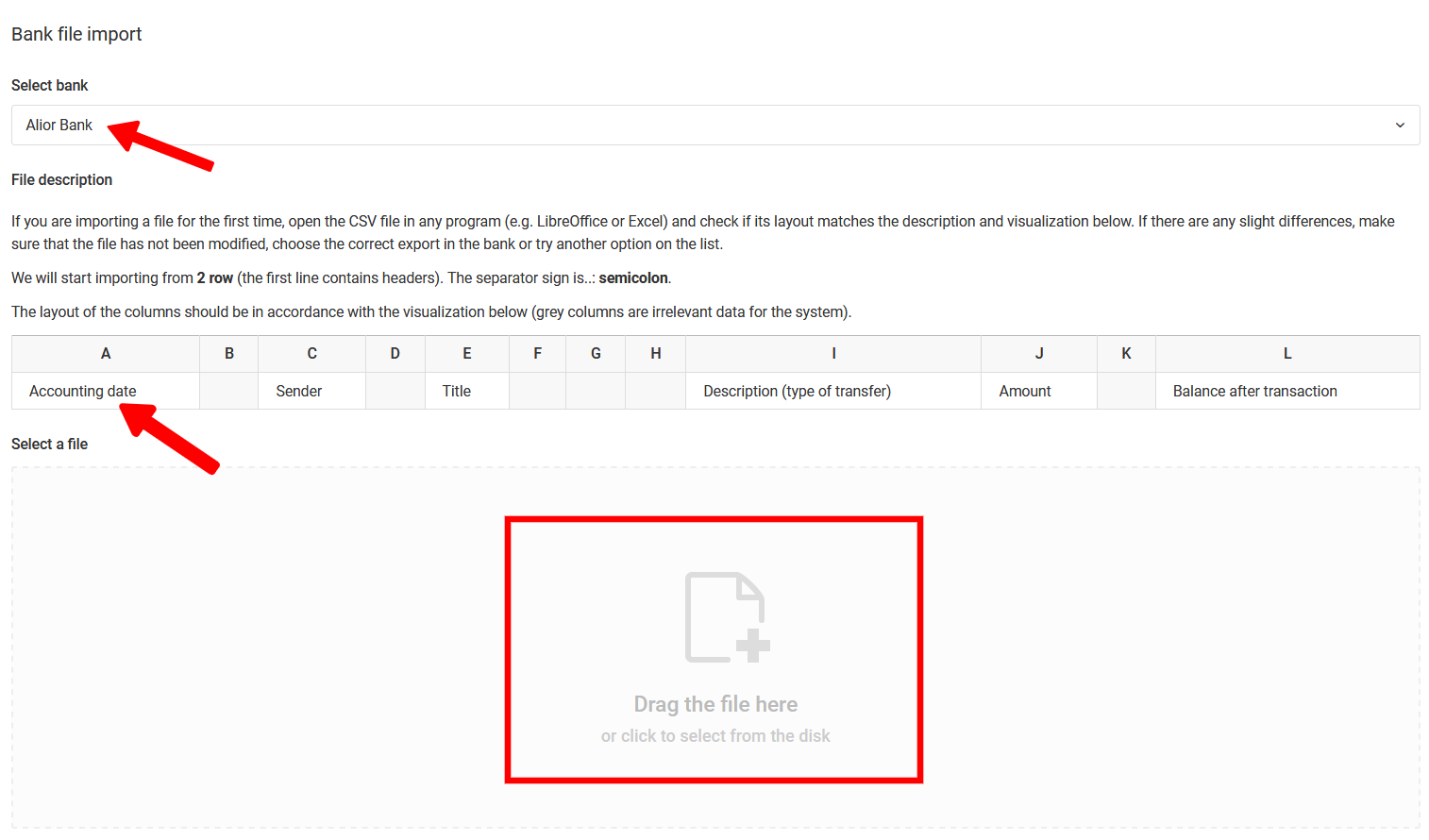
Before importing a file, make sure your bank appears on the list of supported banks. If it does not — check whether your bank allows you to download transaction history in CSV or XLS format. If so, download the file, anonymize any personal data, and contact us — our team will prepare the appropriate parser.
If you are importing a file for the first time, open it in a program (e.g. Excel or LibreOffice) and check whether its layout matches the description in the import window. If there are any discrepancies, make sure that:
- the file has not been modified,
- you are selecting the correct export option in your online banking system,
- you try another option from the bank list (some banks have more than one parser available).
Once the file structure matches what is displayed in the import window, drag the file into the designated field. The system will begin parsing and redirect you to the generated transaction list.
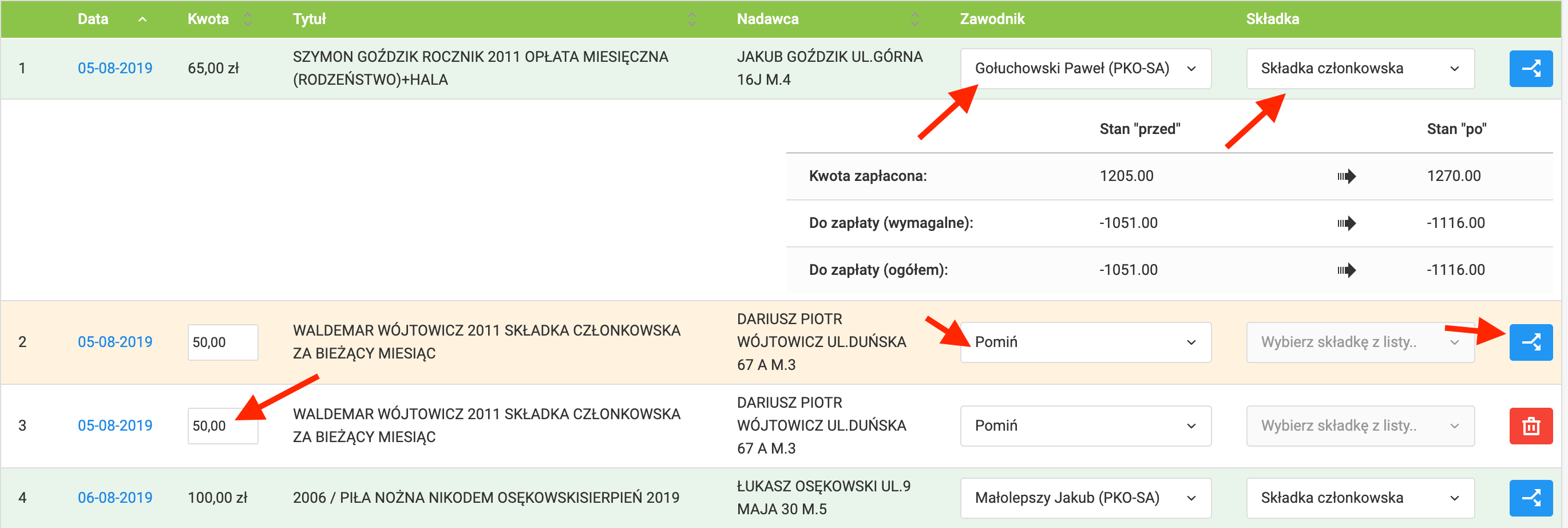
In the transaction recording view, pay attention to the transfer colors:
- Identified — transfer assigned to a player and contribution,
- Unassigned — transfer requires manual assignment of a player and contribution.
For incoming transfers unrelated to contributions, select one of the available actions from the dropdown list:
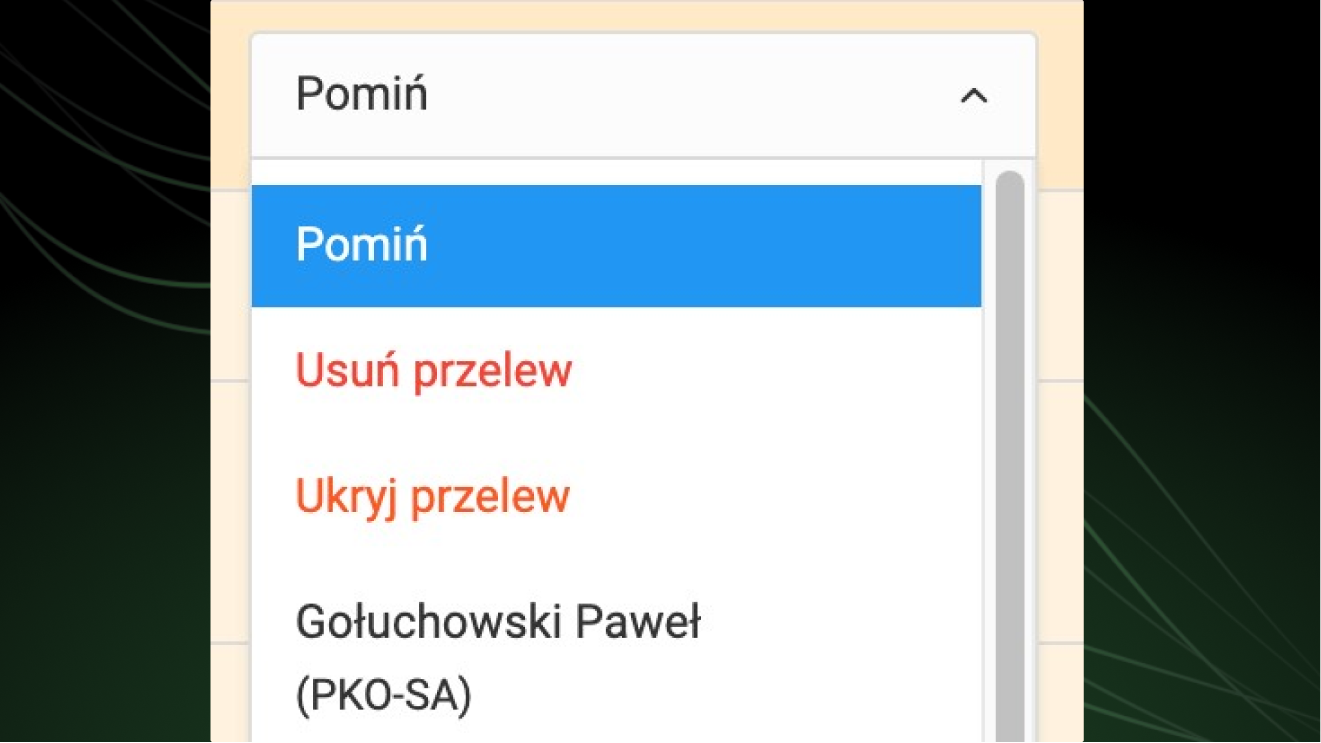
- Skip — ignores the transfer in the current import,
- Hide — skips the transfer in subsequent imports of the same file,
- Delete — removes the transfer from the list (it will be re-imported if the file is uploaded again).
Parser Algorithm
The parser analyzes two key elements of each transaction: sender details and transfer title. Based on these, the system attempts to assign the transaction to the appropriate player.
Przelewy24 — Payment Automation
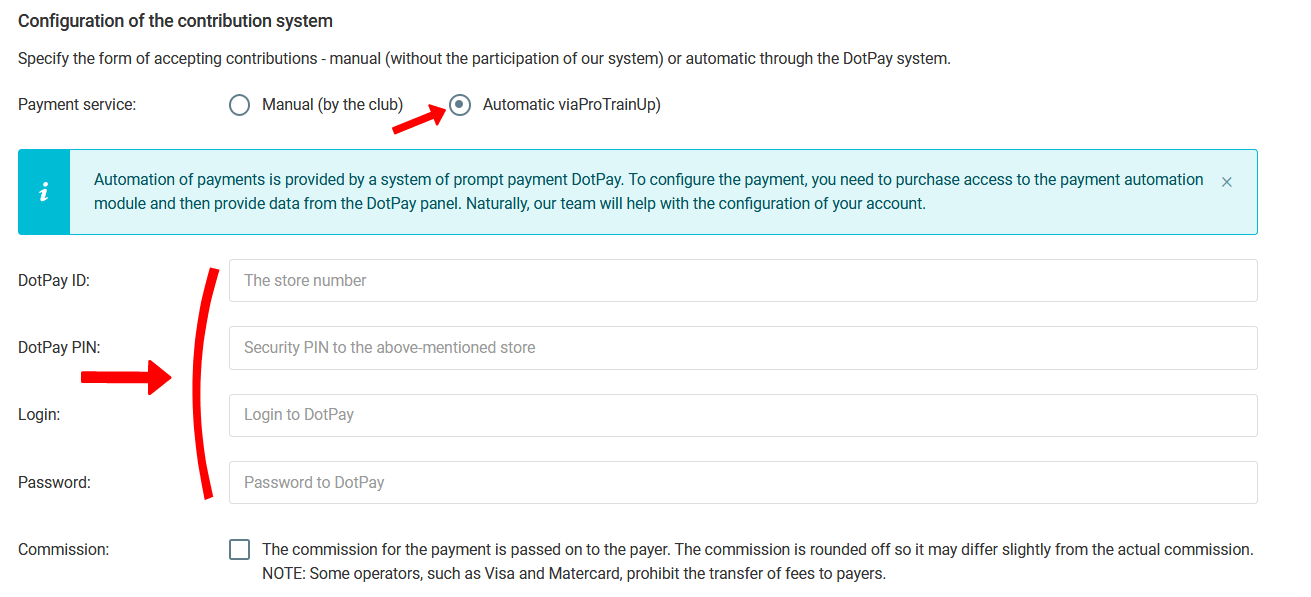
The third payment recording option is enabling contributions to be paid directly in the ProTrainUp system — available through both the mobile application and the web browser.
To configure the integration, select Contributions → Settings from the left menu and fill in your Przelewy24 account details.