Tests
Managing Tests
Create fitness tests, enter player results, and import data from an XLS file — all in one place.
Creating a Test
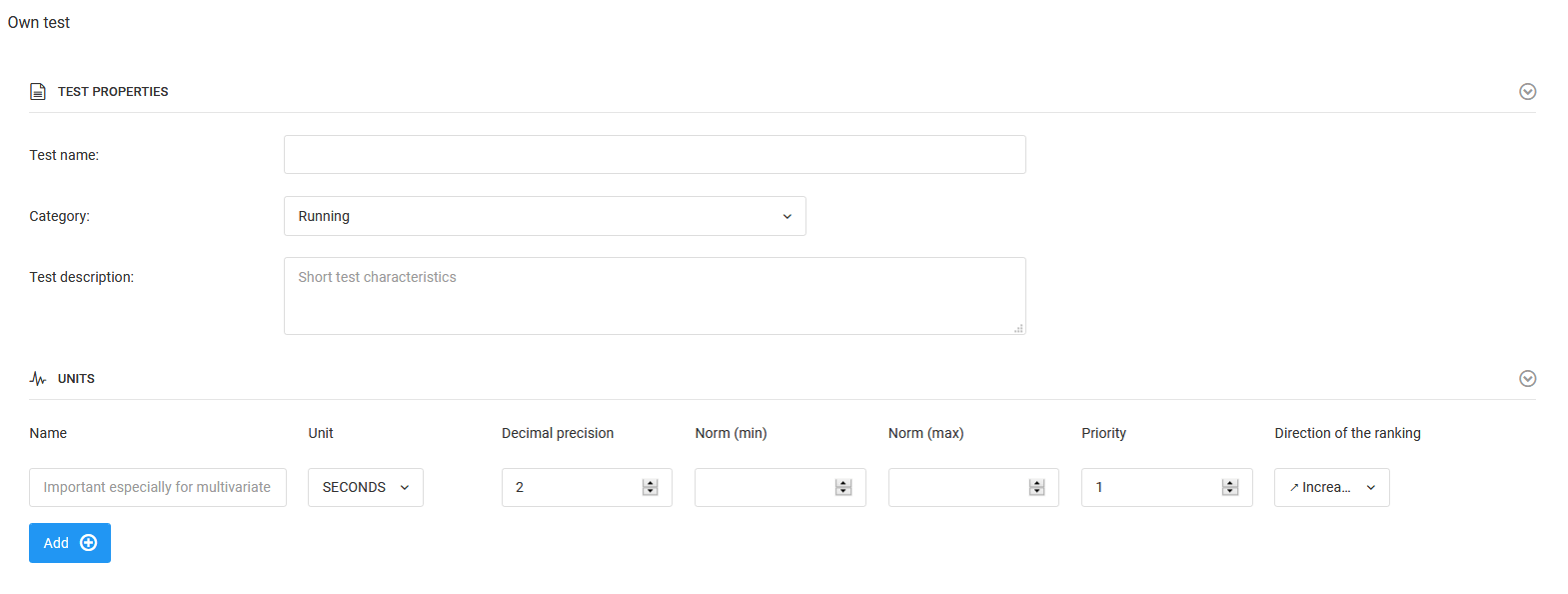
To create a test, select Diary → Tests → Add Test from the left menu. The test creation window will open with the following fields to fill in:
- Test name,
- Category,
- Test description,
- What we measure — unit of measurement and test norms.
You can create multi-dimensional tests by adding further measurement factors. To add another factor, click the blue "Add" button.
Entering Test Results Manually
To enter results, click "Available tests" in the left menu — you will be taken to the test list. There you will find your own tests as well as several basic tests prepared by us, including:
- 5m sprint,
- 20m sprint,
- 30m sprint,
- Beep test.
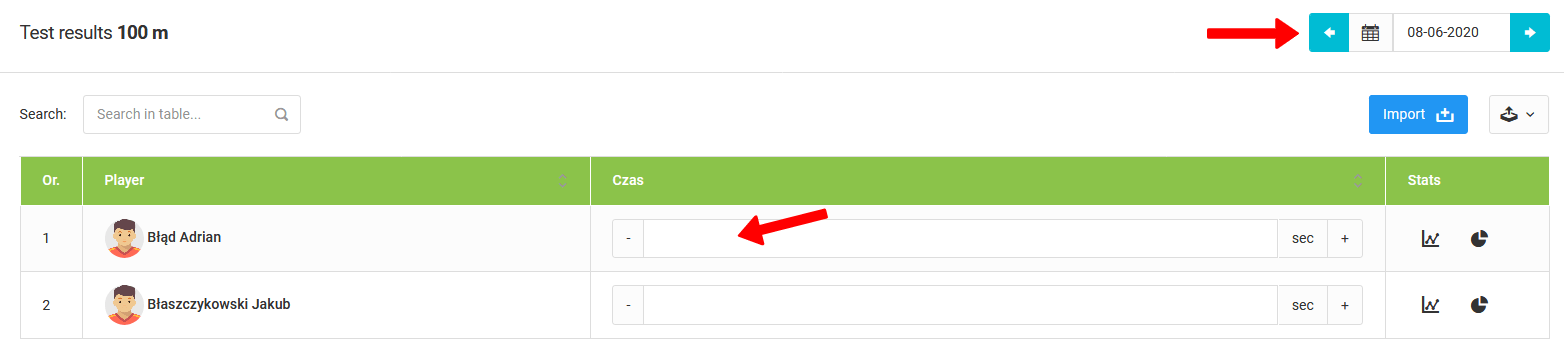
After clicking on a selected test, a list of players participating in the test will open with empty fields for entering results. You can change the test date by clicking the date field in the top right corner of the window.
Importing Results from an XLS File
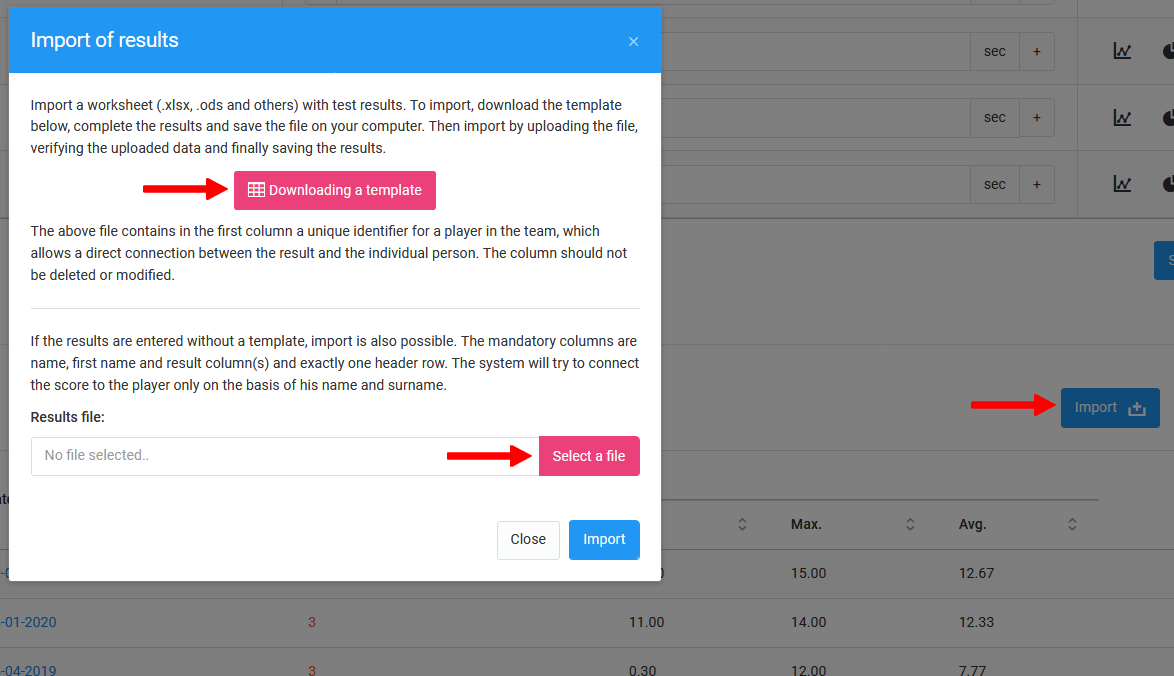
The system allows you to load test results from a previously prepared XLS file. To do so, click the blue "Import" icon in the results entry window. A window will appear with two options:
- Download template — download a ready-made XLS file to fill in,
- Load file — upload the completed XLS file to the system.
To ensure that the data is correctly loaded and assigned to the right players, we recommend using the template XLS file.