

Global Settings
Hiding Modules
Manage the visibility of diary modules and features for individual user groups — players, parents, and coaches.
Managing Module Visibility
The module hiding feature allows you to control access to specific system features for selected user groups. To access the settings, select Club → Settings → Hide Modules from the left menu.
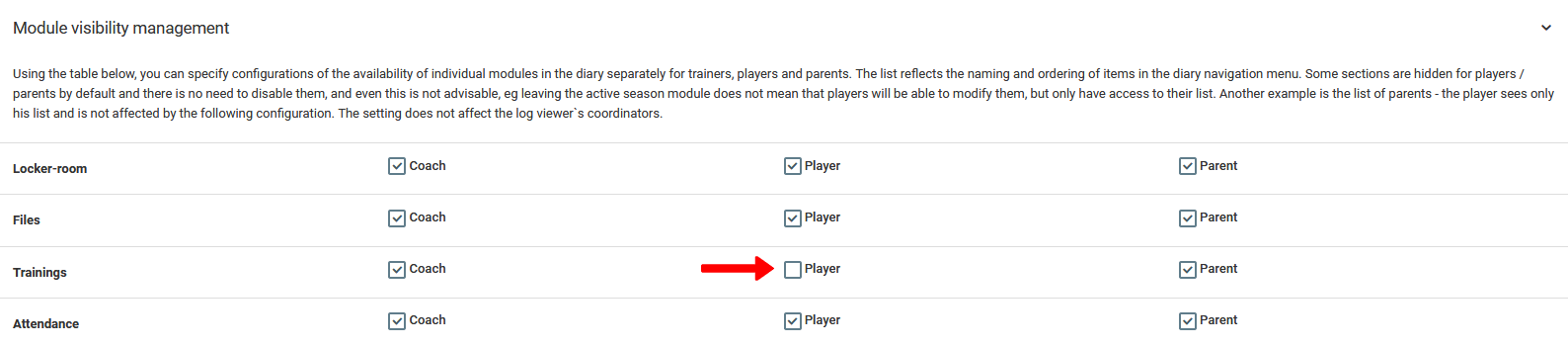
Visibility management is based on checking or unchecking selected diary elements and features. An unchecked element will disappear from the menu on the accounts of the selected user group.
These settings apply to all users in the given group within the organization you manage. For example — unchecking the "Training" tab for the players group will block their access to that section.