

System Detailed Reports
Predefined Reports
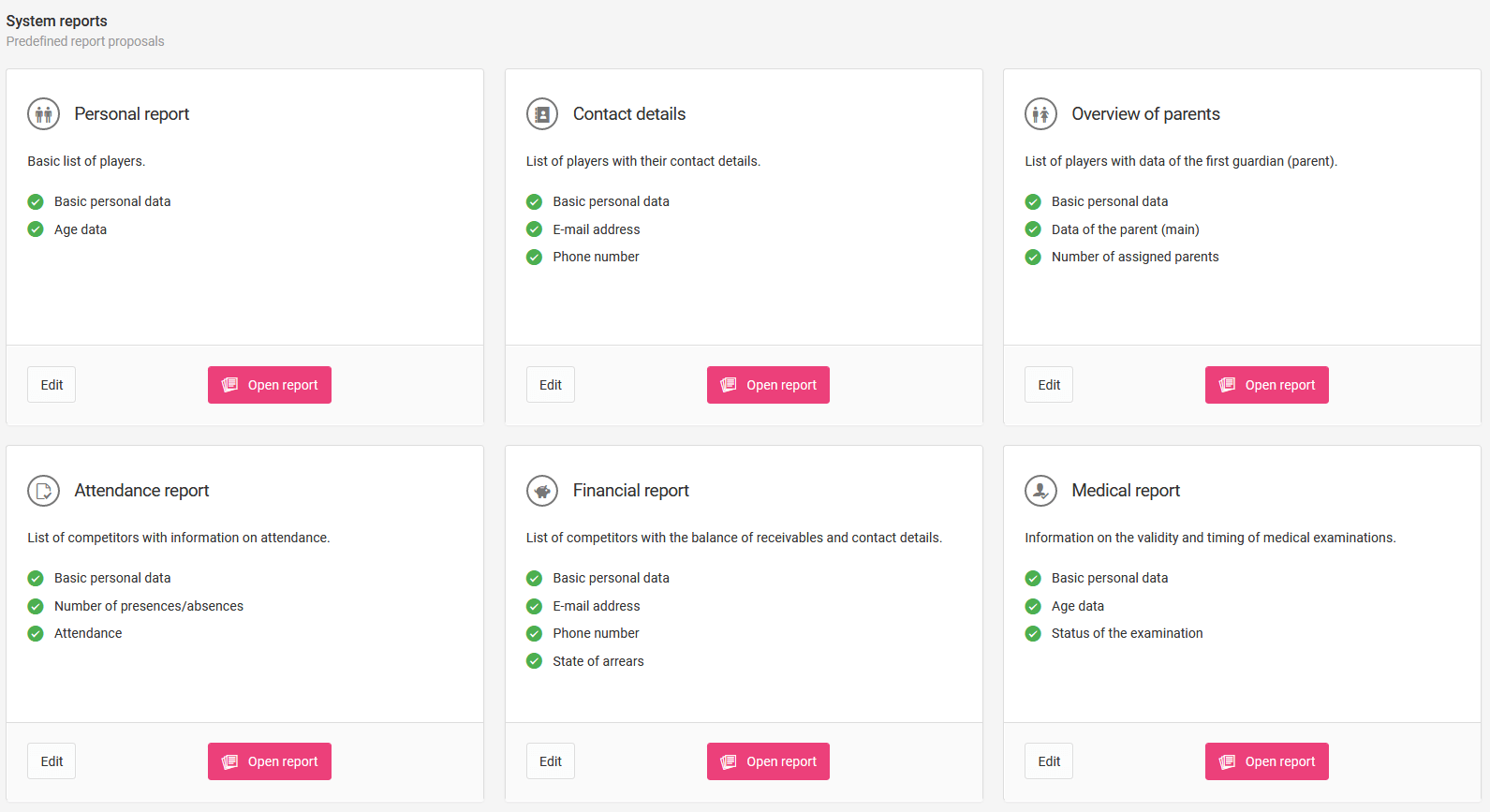
Detailed reports can contain virtually all data currently available in the system. As a user you have access to several predefined reports:
- Personal report,
- Contact details,
- Guardian summary,
- Attendance report,
- Financial report,
- Medical report.
To open a report, click the pink "Open report" button.
Working with a Report
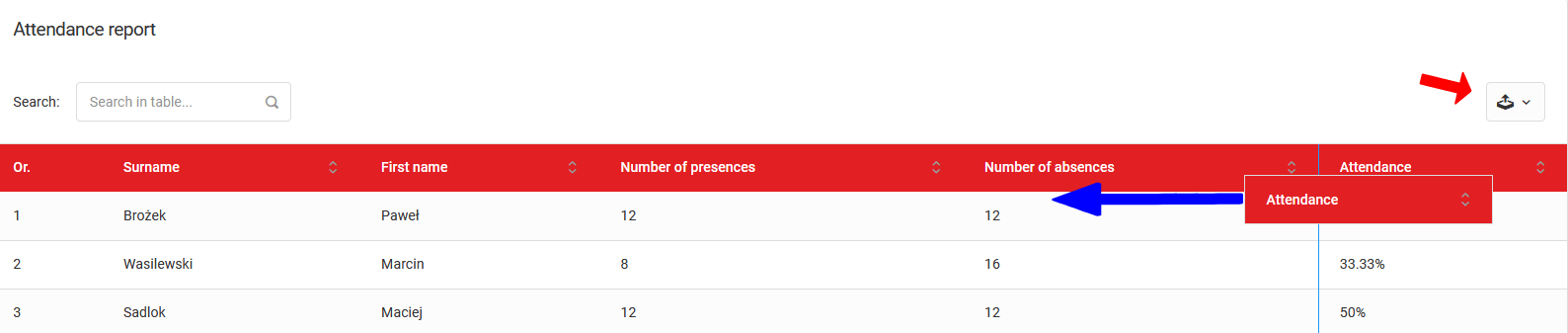
After opening a report, you will be taken to an active table where data from the area defined in the selected report is aggregated. You can change the order of columns by dragging them with your mouse.
Downloading a Report
Each report can be downloaded in one of three formats — click the relevant icon above the table:
- XLS
- CSV
Results & Statistics
A guide to entering match results and statistics — from basic result entry, through the advanced match report, to individual player statistics.
Detailed Report Generator
A tool for creating custom reports from any data in the system — ideal for preparing summaries, rankings, and reports for external institutions.