Contributions
Payments & Settlements
Manually mark payments, process payments from the parent account, and send reminders about outstanding contributions.
Manually Marking Payments
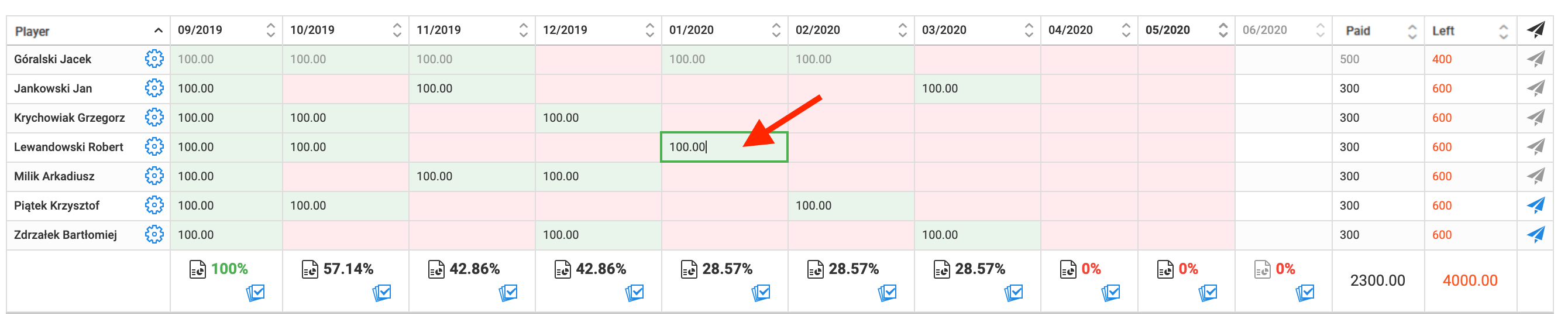
To mark a paid contribution, double-click (or right-click and select "Pay") on the cell representing the player's due amount for a given month. The default contribution amount will appear in the cell.
If the payment amount differs from the default, enter it manually directly into the cell.
Payment from the Parent's Account
Users have two options for paying contributions through the system:
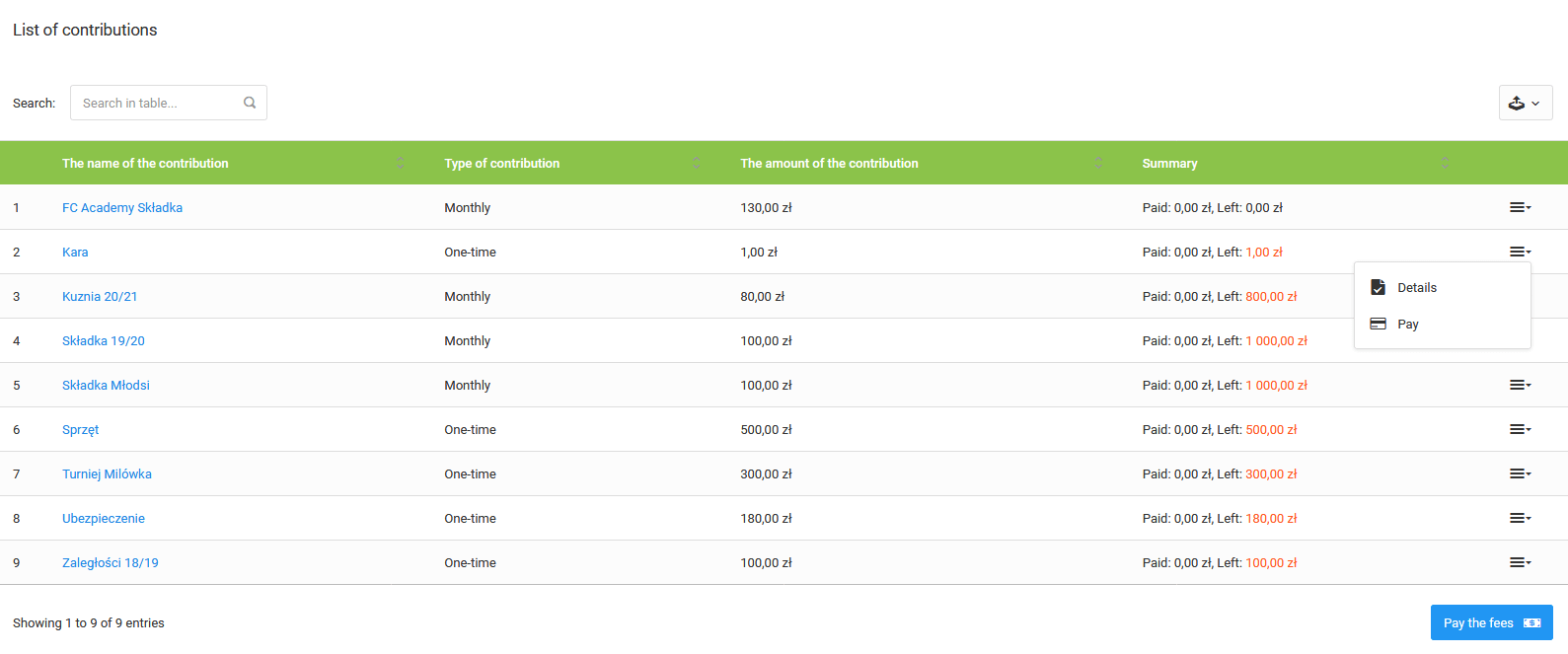
- Quick payment — select the "Pay" option from the menu next to the given contribution to proceed directly to payment,
- Bulk payment — click the blue "Pay multiple contributions" button, select the contributions to pay, enter the amounts for each month, then choose a payment method and complete the transfer.
Payment is also available from the mobile application.