

Managing Contributions
Creating a Contribution
The system allows you to create two types of contributions:
- One-time — a single payment,
- Monthly — a recurring payment.
Contributions can be created as a coach or an administrator:
- Coach — select Diary → Contributions → Create New from the left menu (for your own teams only),
- Administrator — select Club → Contributions → Create New from the left menu (for all teams at once).
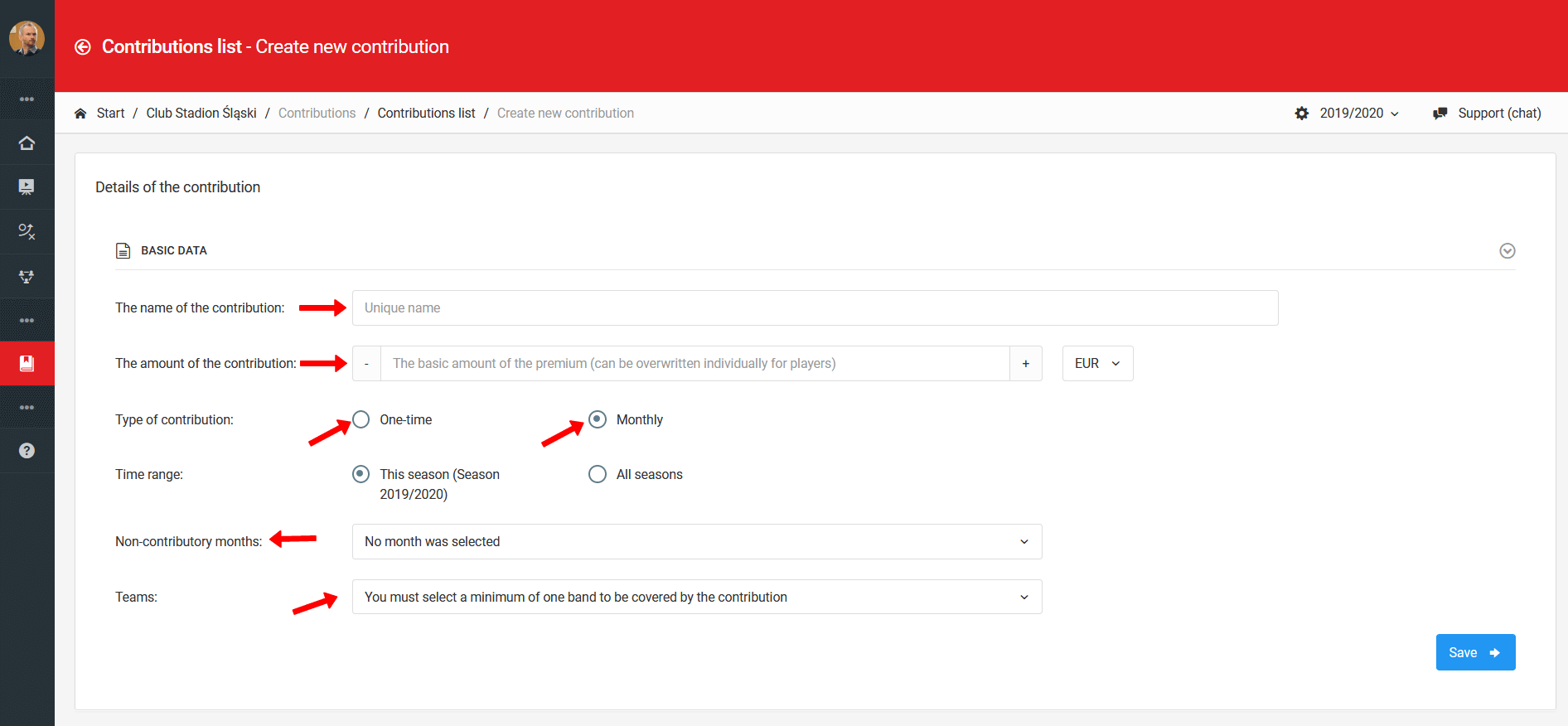
When creating a contribution, fill in the following fields:
- Contribution name,
- Amount,
- Contribution type,
- Validity period,
- Contribution-free months — e.g. summer months (skip if the contribution applies all year),
- Teams — visible on administrator accounts only.
Individualizing Contributions
The system allows you to set individual contribution amounts for each player. To do so, go to Club → Contribution List and click on the selected contribution. In the table view, next to each player's name you will find a blue icon — click it to open the contribution individualization window.
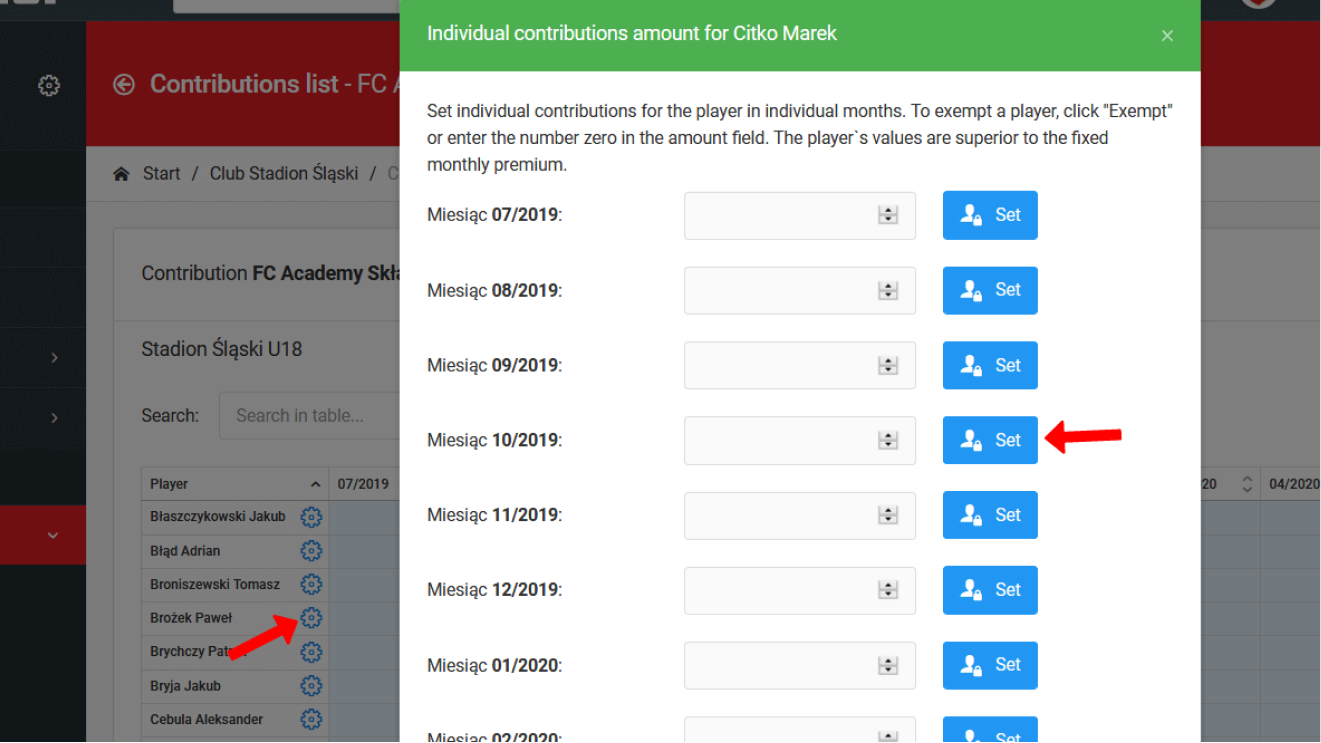
In the individualization window you can:
- Exempt a player from the contribution — e.g. from April to June,
- Enter an individual amount — separately for each month.
Reports & Analysis
A comprehensive module for player fatigue reports and analysis — with charts, collective summaries, fatigue units, and individual result comparison against team averages.
Payments & Settlements
Manually mark payments, process payments from the parent account, and send reminders about outstanding contributions.