

Match Organization
Adding a Single Match
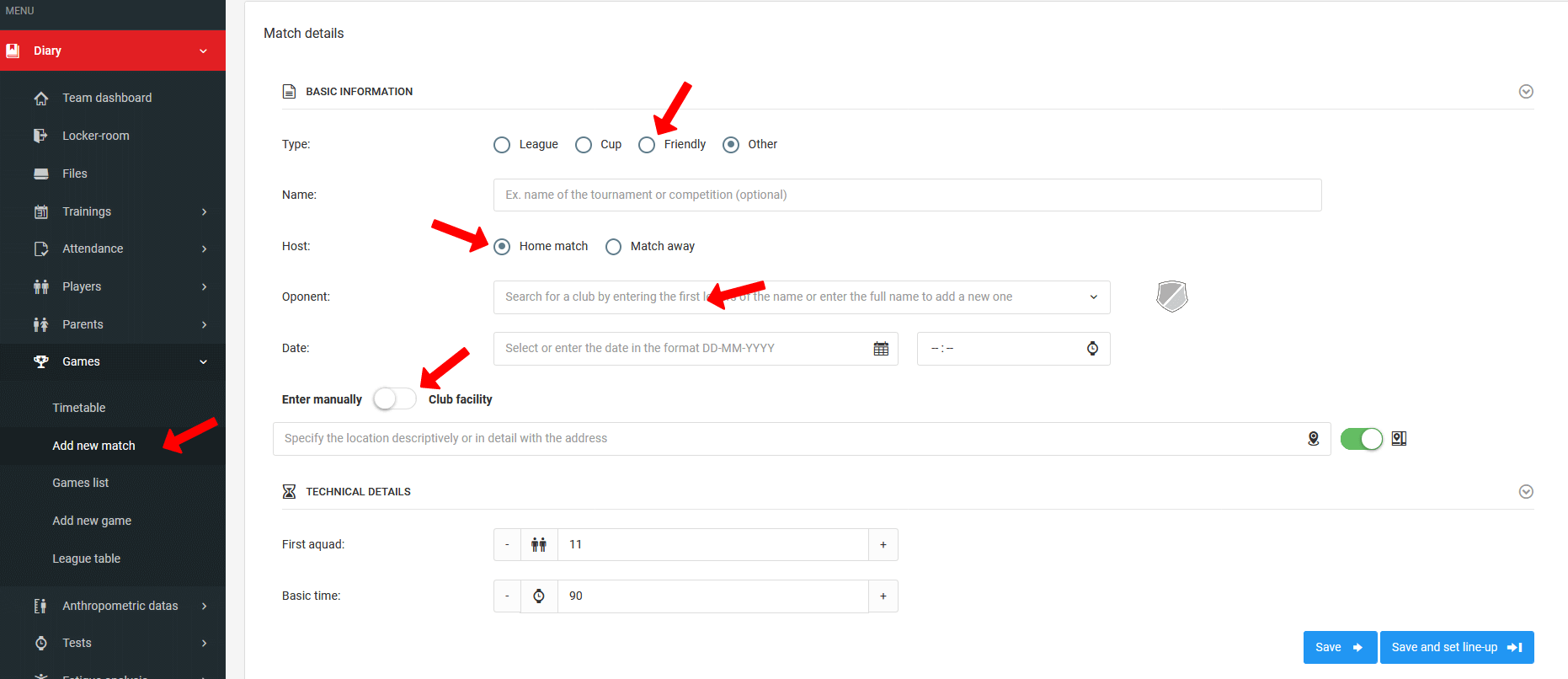
To add a single match to your schedule, click Diary → Competitions → Add Match in the left menu. After clicking, you will be taken to the match creation window. Fill in the form, remembering to specify:
- Match type,
- Opponent,
- Date and time,
- Venue — you can enter it manually or select from predefined venues added by the administrator.
Once all fields are filled in, save the form and proceed to setting up the match lineup.
Setting Up the Match Lineup
For match statistics to be calculated for players (e.g. time on the pitch), you need to call them up to the match lineup. To add a player to the pitch, grab them with your mouse and drag them from the player list to the desired position on the pitch.
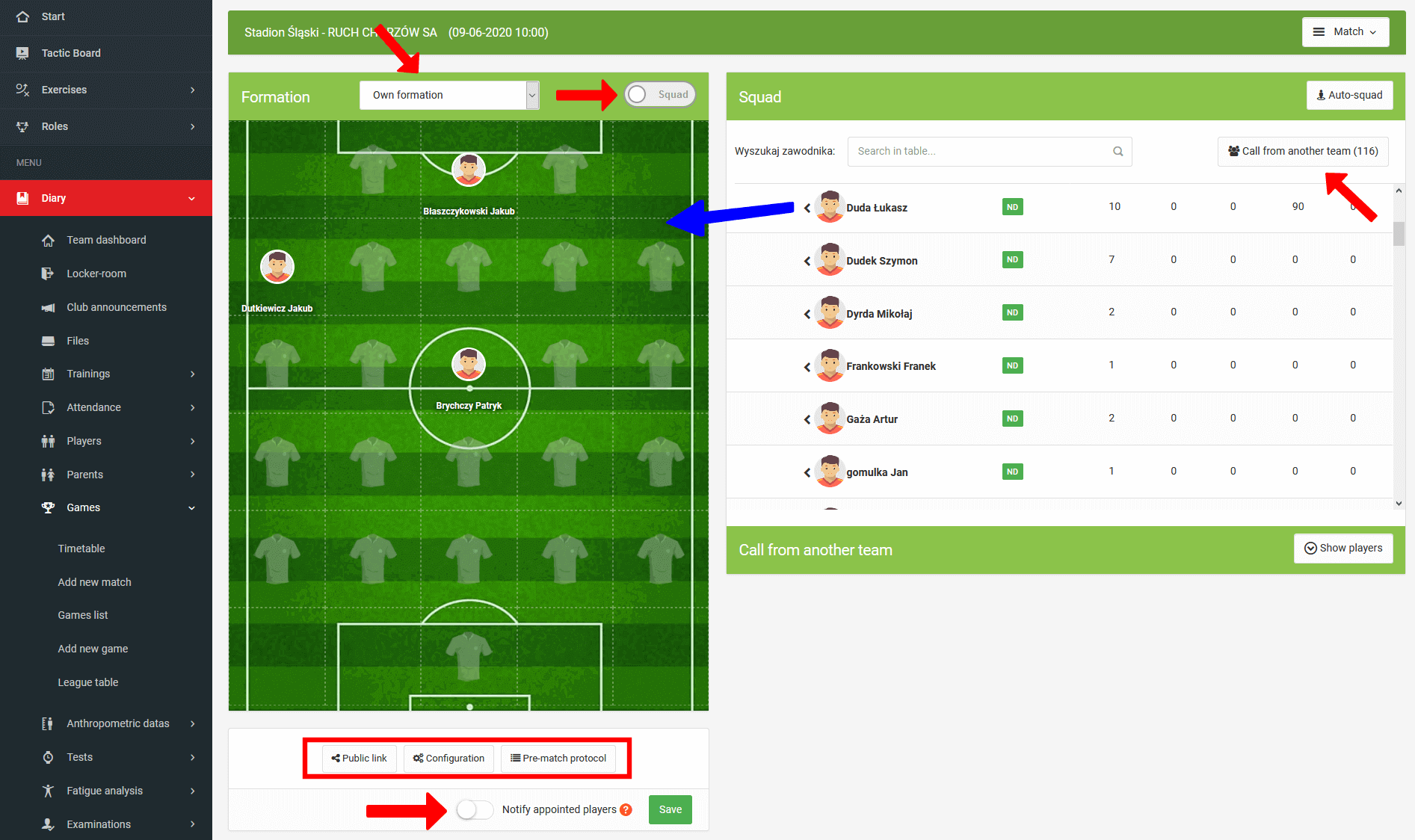
The lineup window offers a number of additional options:
- Predefined formations — apply a ready-made formation to the pitch with a single click,
- Call-up from another team — click the "Call up from another team" button and drag the selected players onto the pitch.
Below the pitch graphic you will find three additional buttons:
- Public links — generates public links to the lineup and live match updates,
- Referee report — download the referee report in PDF format,
- Match configuration — set the match duration and the number of players on the pitch.
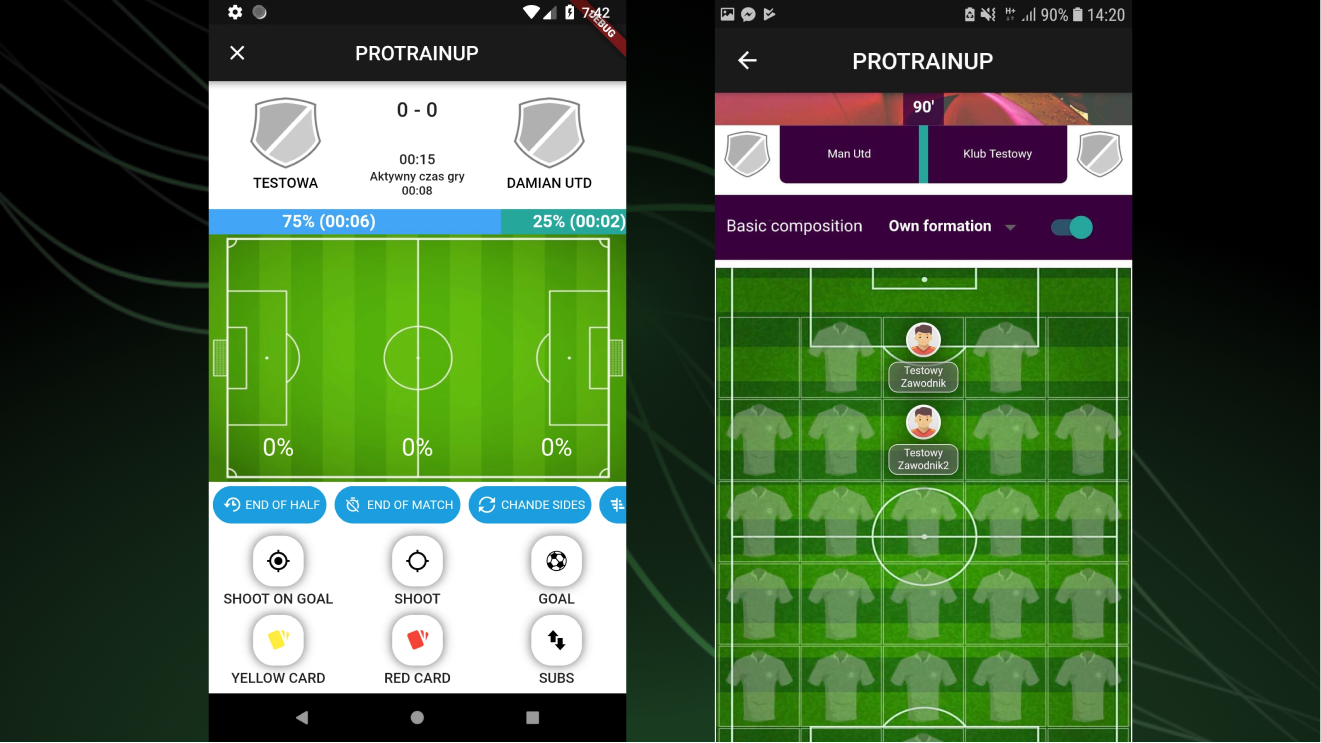
Video Tutorial
Match Call-Up Notification
To notify players and their guardians of their call-up for a match, check the relevant button and save by clicking the green button.

The notification appearing on players' and guardians' phones will include:
- Match date,
- Match venue,
- Match time.
Guardians and players can report their absence from a match directly from their account — the same way as with a training call-up.
Competition Management
A guide to creating and managing competitions — from adding competitions and filling in teams, through scheduling matches, to the automatically generated league table.
Results & Statistics
A guide to entering match results and statistics — from basic result entry, through the advanced match report, to individual player statistics.