Equipment & Warehouses
Loans
Track loaned equipment — a summary of what was loaned, to whom, and for how long, with filtering and export options.
Loan Summary
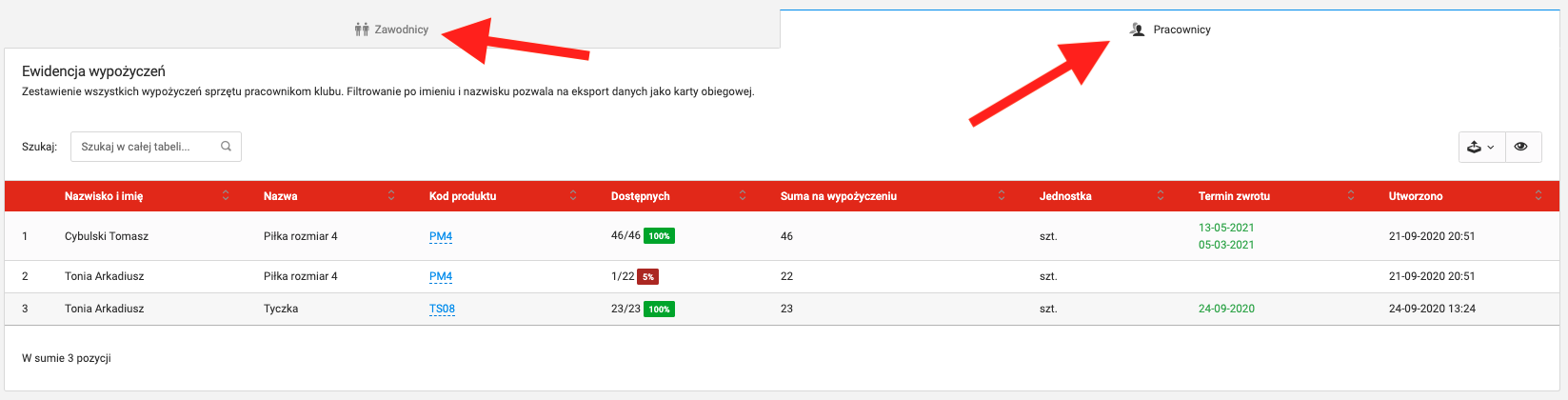
The loans module allows you to quickly track issued equipment. To access the summary, select Club → Equipment and warehouses → Equipment and items → equipment inventory from the left menu.
The summary contains information about:
- What was loaned,
- To whom — players and coaches,
- Quantity,
- Return deadline.
Filtering & Export
The summary can be filtered by the content of individual columns — for example, enter a coach's surname in the search field to filter their loans.
The completed summary can be downloaded in the following formats:
- XLS
- CSV
Click the export icon on the right side above the table and select the file format.
Equipment in Player Profile
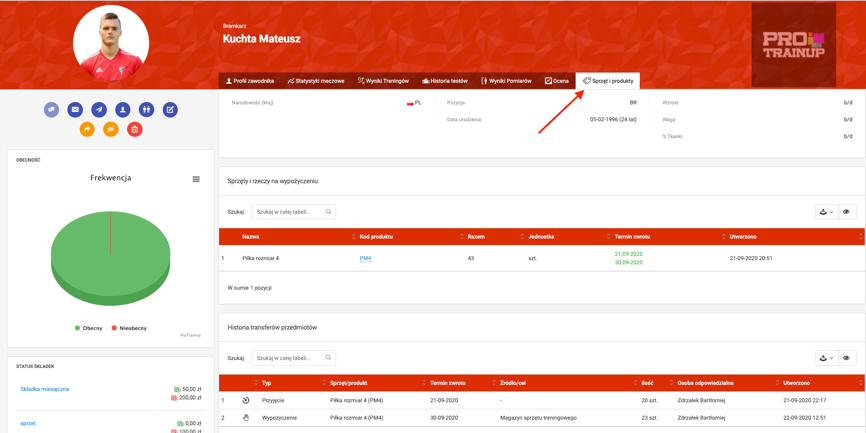
A summary of equipment issued to a specific player can also be found in their profile.
To access a player's profile, click their name on the player list, then select the "Equipment & Products" tab in the top bar.