Sub-facilities
Adding a Sub-facility
To add a sub-facility, go to the sub-facility list of the given parent facility and click the blue "Add" button. You can add any number of sub-facilities to a single facility.


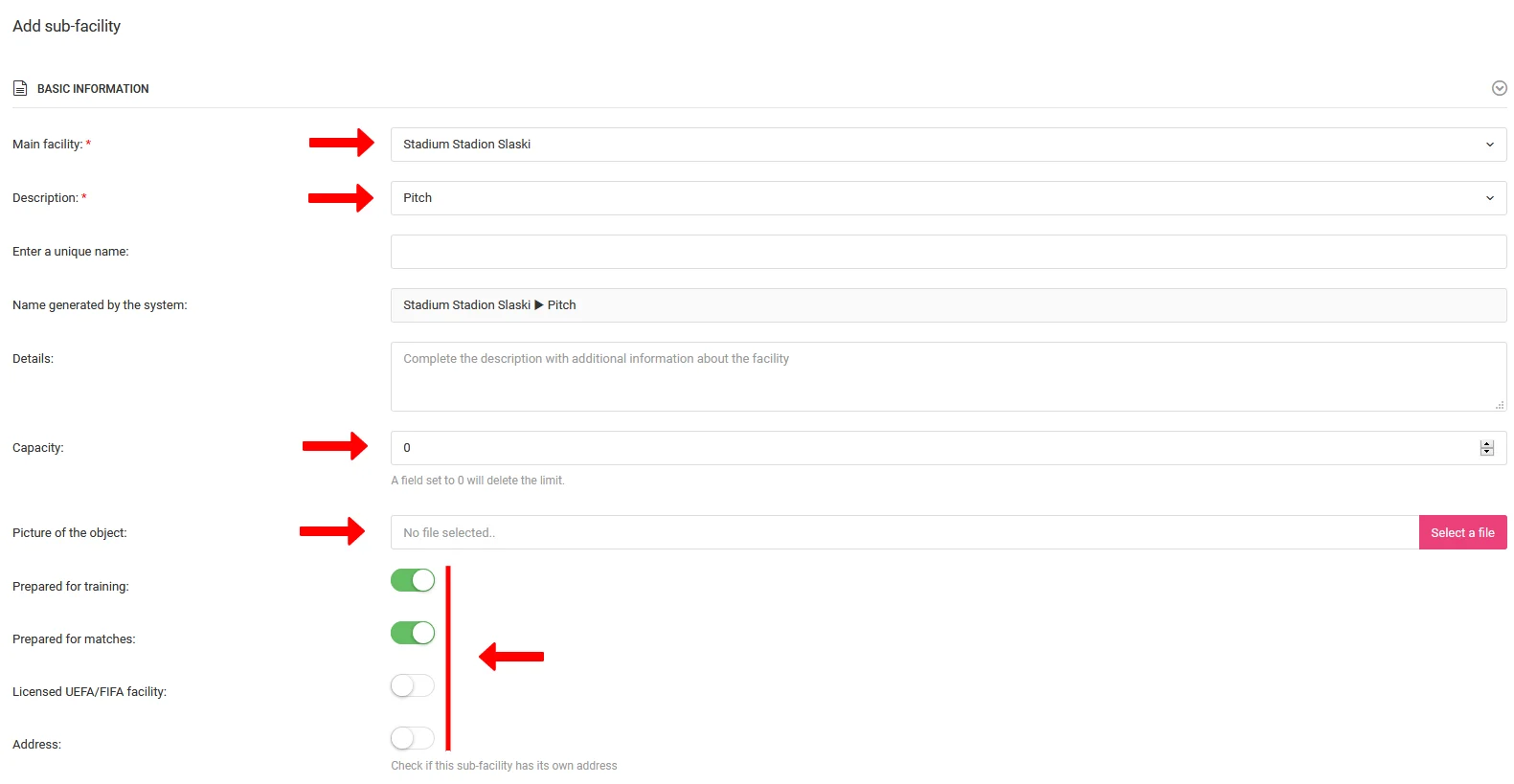
After clicking "Add" you will be taken to a form where you will fill in:
- Parent facility,
- Sub-facility category — pitch, pool, hall, changing room, gym, etc.,
- Name — the location type determines the name prefix (e.g. for halls, enter only the number),
- Description,
- Maximum number of people,
- Photo,
- Other parameters — including an optional individual address.
Sub-facility Preview
To view a sub-facility, select Club → Facilities & Reservations → Sub-facility List from the left menu and click the "Preview" option in the menu next to the given sub-facility (last column). From the same menu you can also edit or delete the sub-facility.

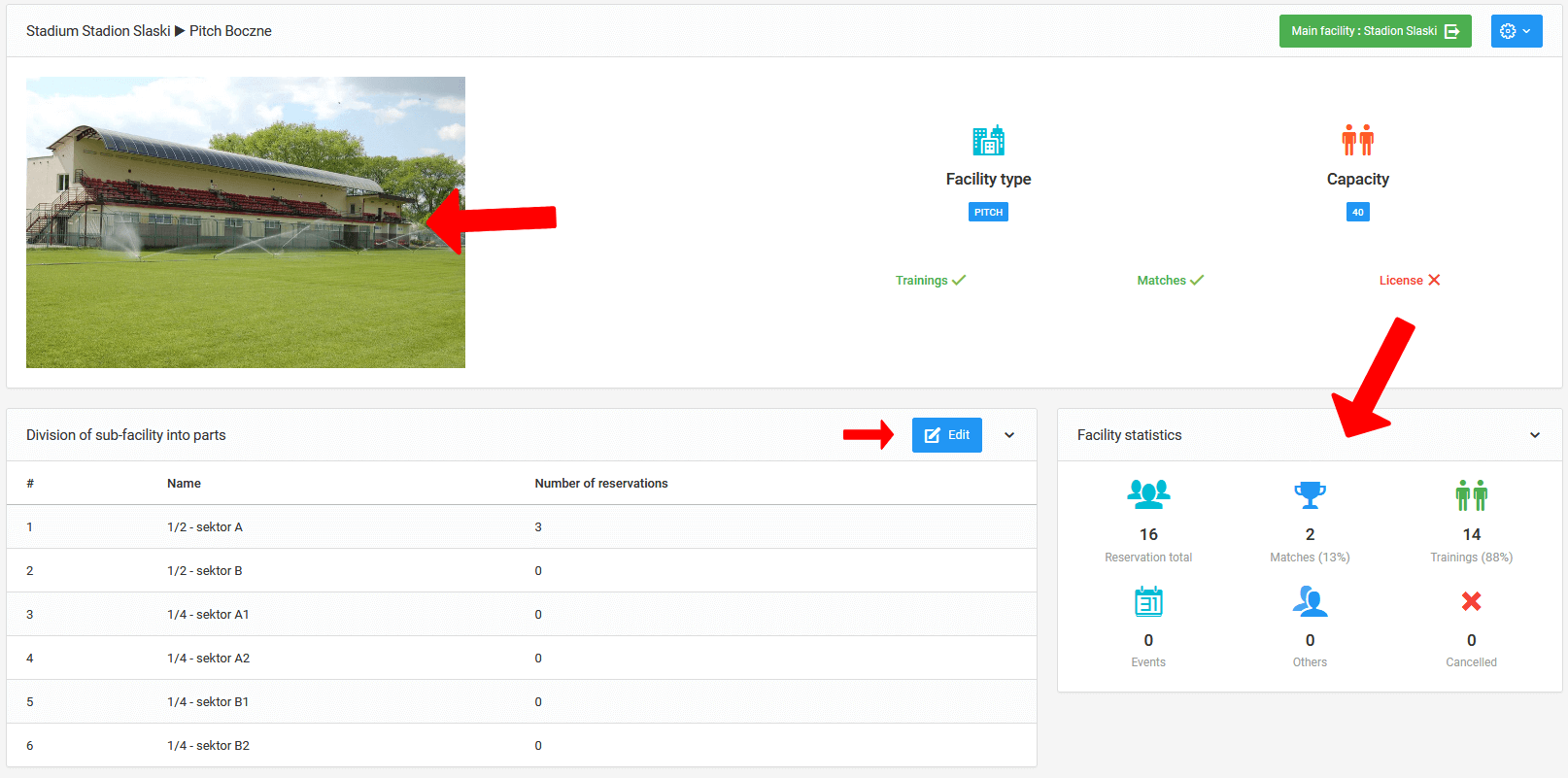
In the preview you will find:
- Contact details,
- Photo,
- Occupancy statistics.
Dividing a Sub-facility into parts
From the sub-facility preview you can divide it into parts — for example, split one pitch into two halves.
To add a division, click the blue "Edit" button in the "Divide sub-facility into parts" panel. You will be taken to the zone creation form.
To add a new parts, follow these steps:
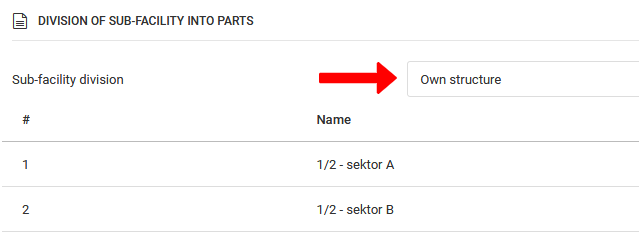
- Select the "Custom structure" option,
- Click the blue "Add parts" button,
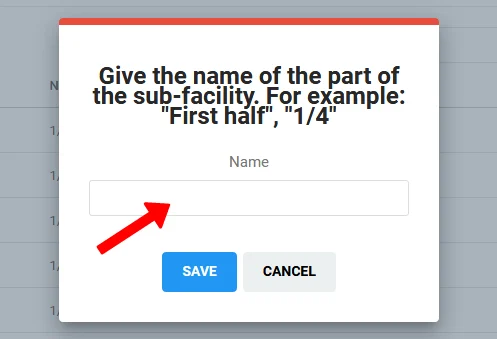
- Fill in the details of the new parts in the window that appears.