

Equipment & Warehouses
Warehouse
Add warehouses, view equipment stock levels, and manage transfer history of intakes and issues.
Adding a New Warehouse
To add a new warehouse, select Club → Equipment & Warehouses → Warehouses → Add New from the left menu.
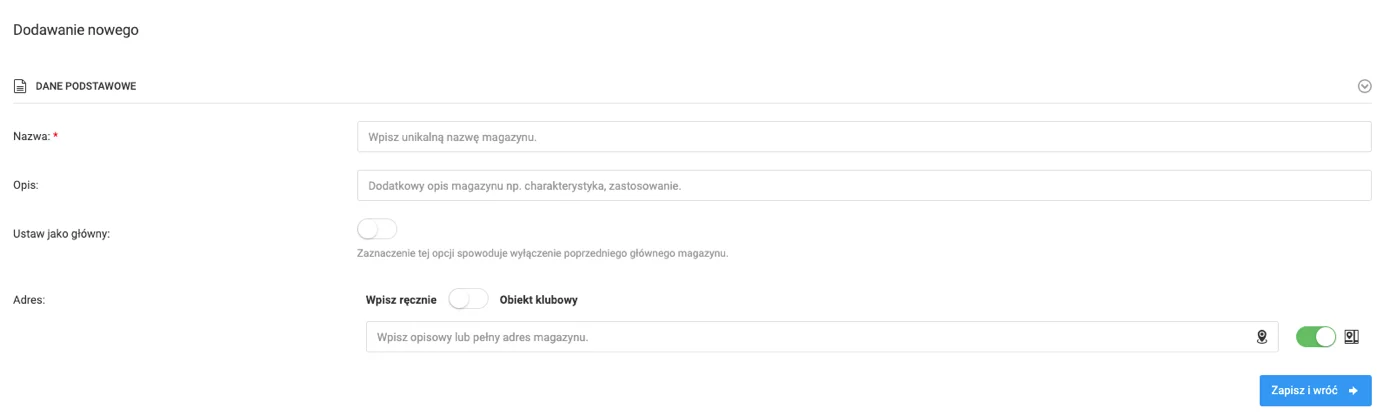
The warehouse form contains the following fields:
- Warehouse name — the only required field,
- Description,
- Main warehouse — option to mark as the main warehouse,
- Location.
Once filled in, click the blue button in the bottom right corner to save the form.
Warehouse Preview & Features
To access the warehouse preview, click on its name in the warehouse list. In the warehouse view you will see a table of all added equipment, containing:
- Equipment name,
- Stock level — as a percentage and numeric value.
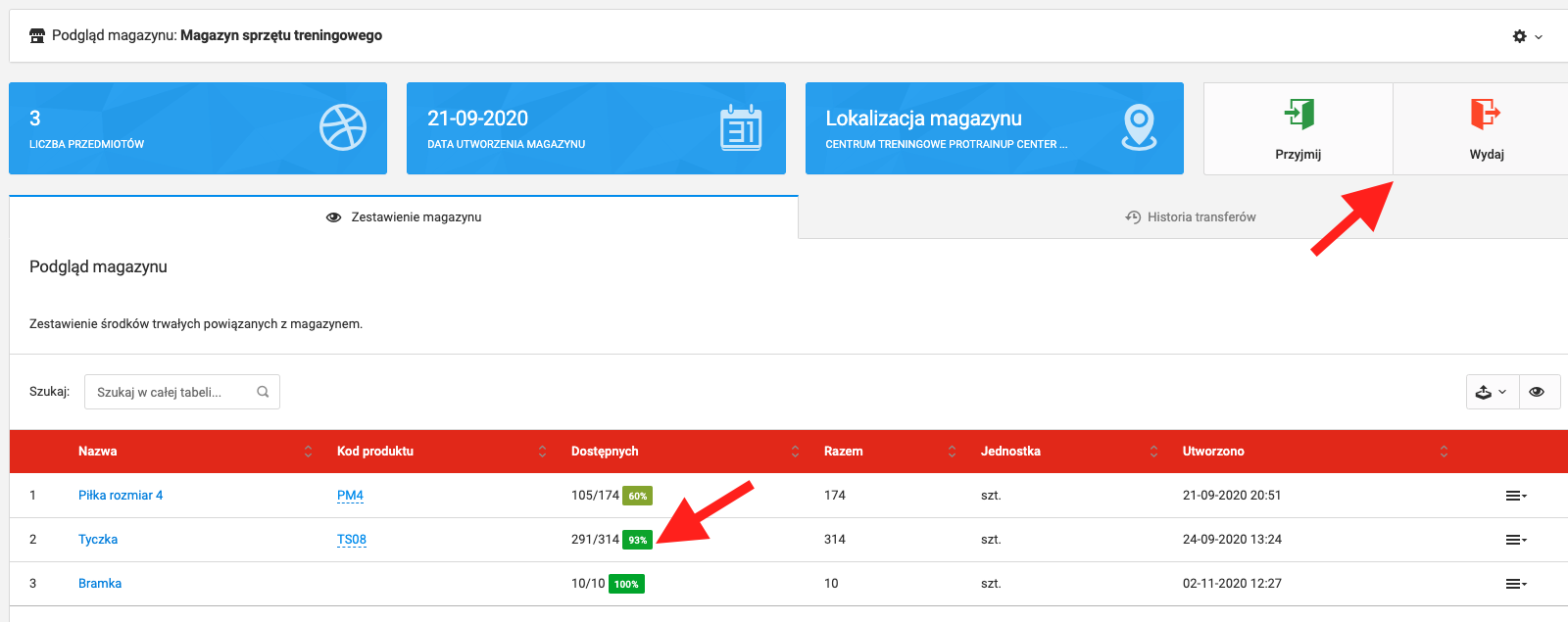
From the warehouse preview you can:
- Intake equipment — green button in the top right corner,
- Issue equipment — orange button in the top right corner,
- Browse transfer history — "Transfer history" tab.
Transfer History
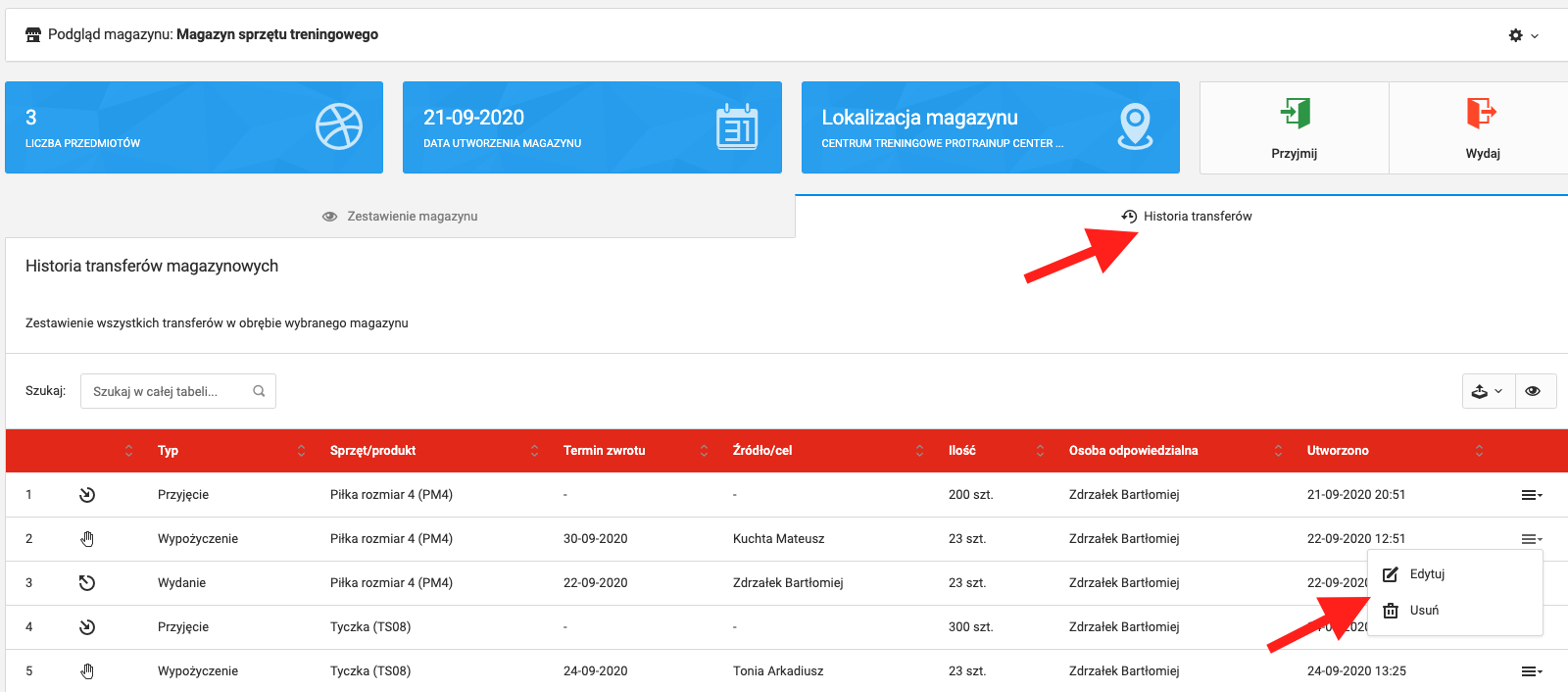
The transfer history table contains information about every operation performed on equipment in the given warehouse. Each operation can be edited or deleted — click the menu in the last column next to the given operation.