Anthropometric Data
Entering Data
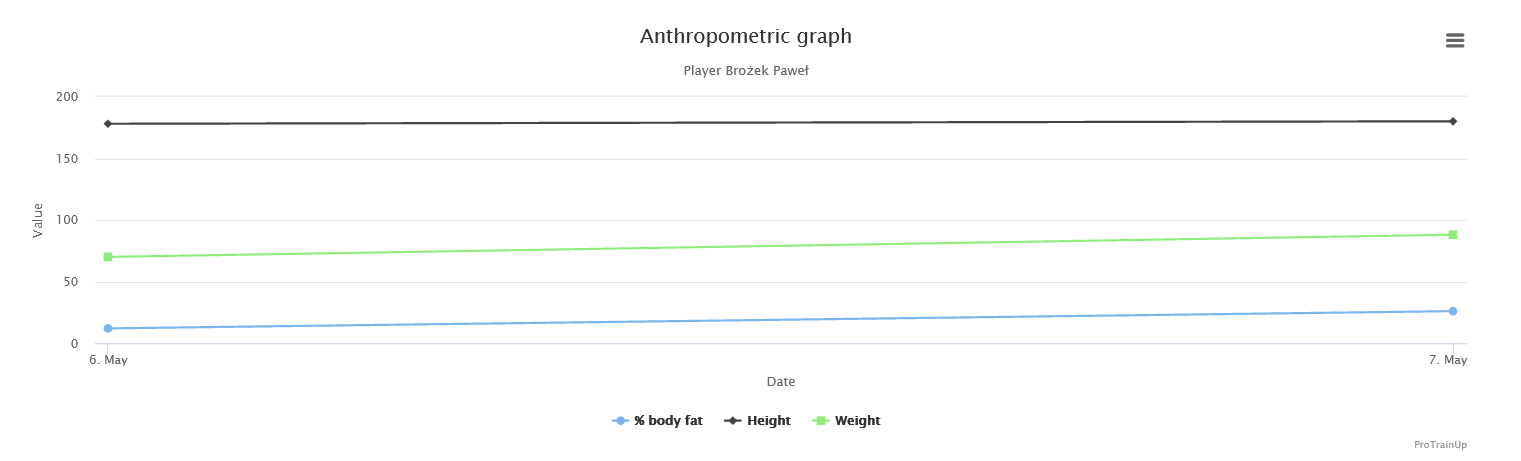
Record and analyze player anthropometric data — track height, weight, BMI, and BMR over the years through linear charts.
How to Enter Data?
To enter anthropometric data, select Diary → Anthropometric Data → Player List from the left menu, then click the "Fill in" icon next to the relevant player.
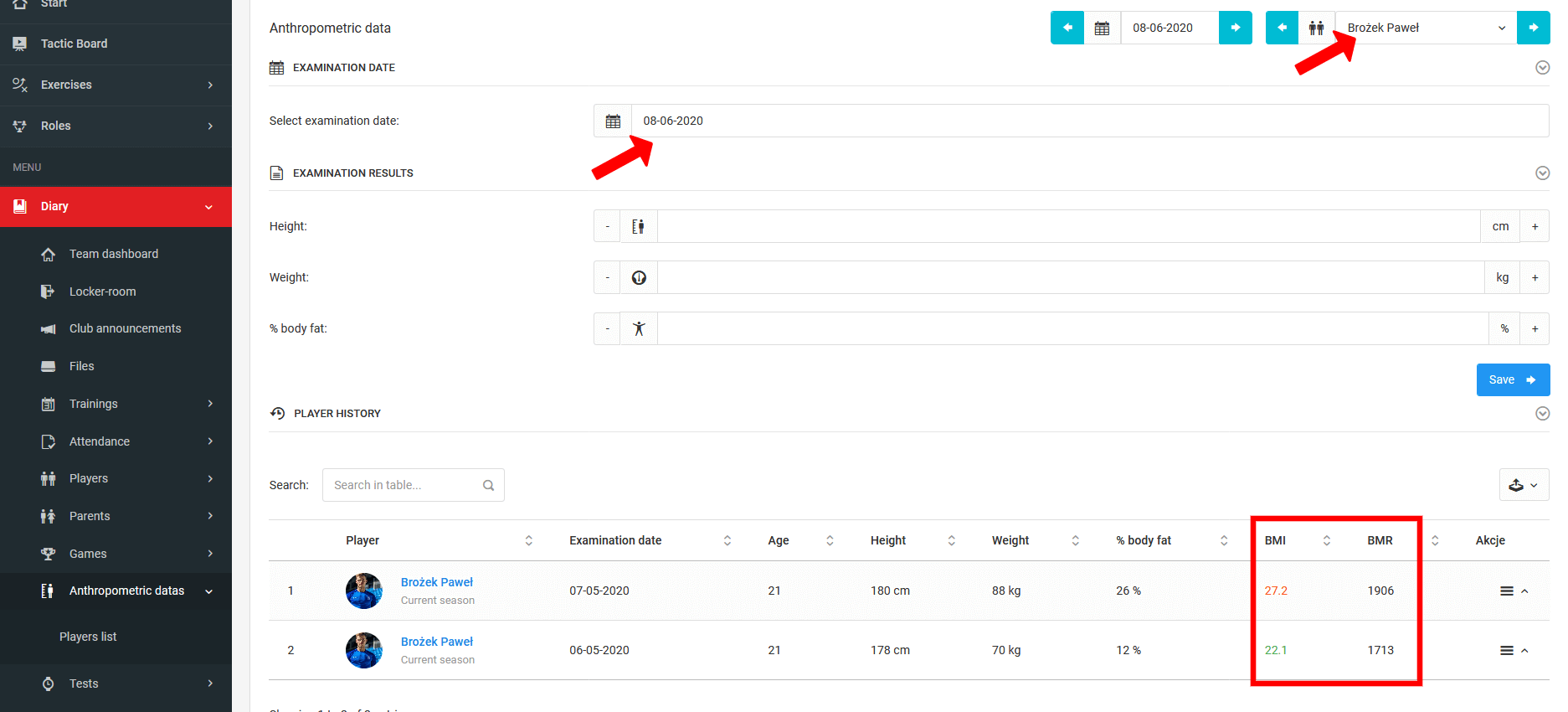
Filling in the Data
The first step is to select the measurement date. Then fill in three fields:
- Height,
- Weight,
- Body fat percentage.
Based on this data along with the player's gender and age, the system automatically calculates BMI and BMR.
Tracking Physical Development
Anthropometric data is linked to the player throughout all years of use in the system and presented as a linear chart — allowing you to track the player's physical development over the years in which measurements were taken.