Recruitment & Surveys
Data Collection
Integrate forms with a website and QR codes, and automatically send confirmation emails to respondents.
Website Integration & QR Code
For external surveys, the system allows you to generate a public link to the form. To get the link, go to the form list and click on the name of the given form. On the form details page, on the right side, you will find the "Form link" field.
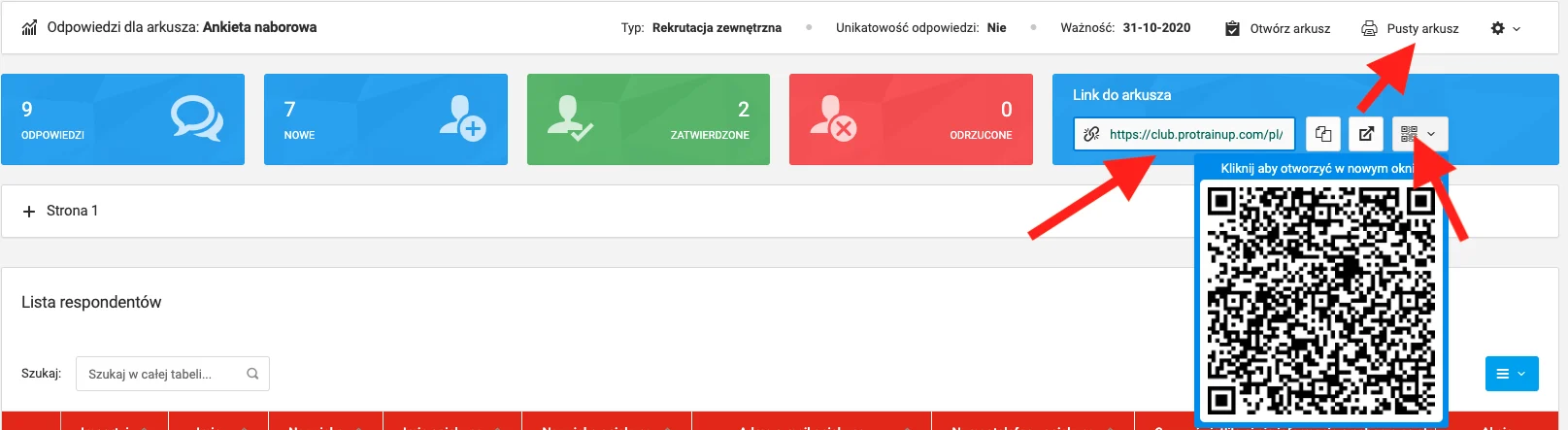
You can also download an individual QR code for the survey — ideal for placing in printed materials such as flyers or posters.
Automatic Email to Respondent
This feature allows an automatic email to be sent to the respondent at the email address they provided. The message content is fully configurable.
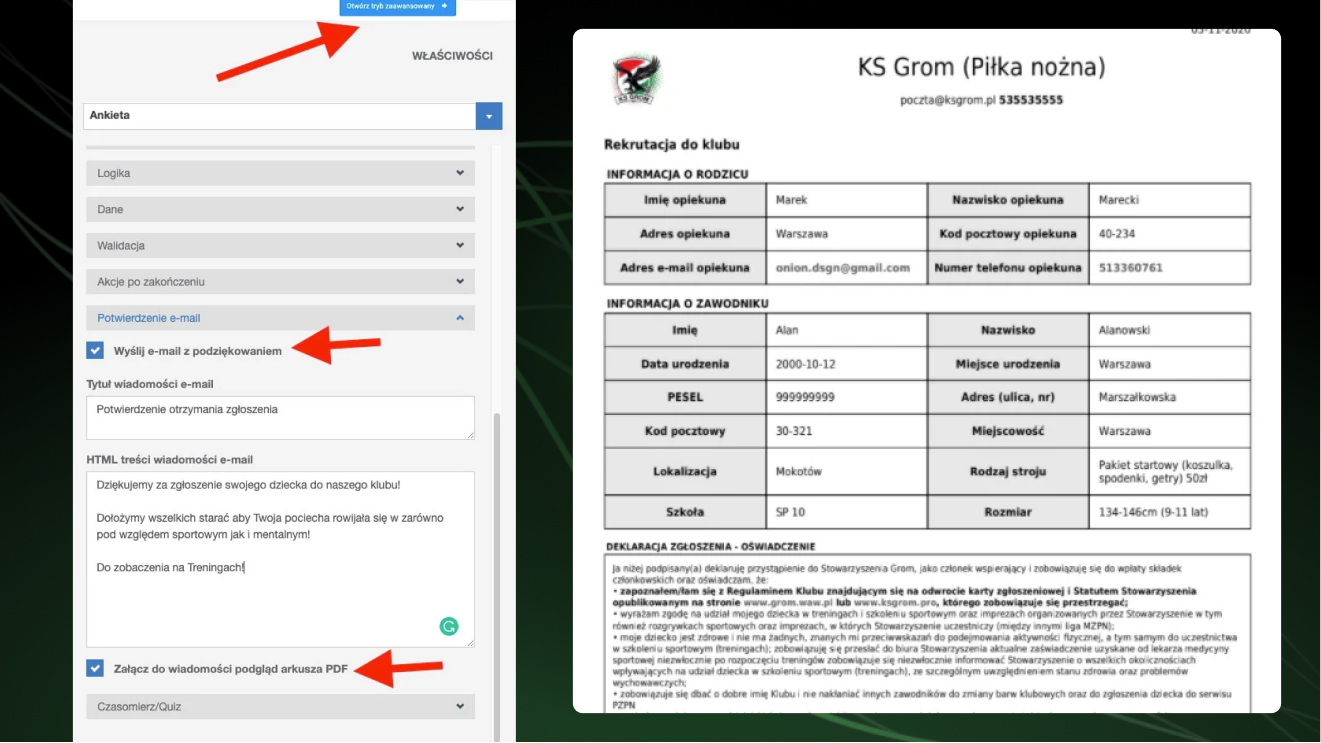
To configure the thank-you message and PDF attachment, go to the form builder and click "Open advanced mode" in the top right corner.
In advanced mode, go to the "Email confirmation" tab, where you can configure:
- Message subject,
- Message content,
- PDF attachment — the respondent's answers saved as a PDF file.
The PDF answer file can be used as a document for the parent to print and return to the club — useful if the club also collects data in paper form.